The Best Self-Hosted Backup Solutions in 2026: 7 Tools Compared
 Towfiq I
Look up “self-hosted backup solutions,” and the first page of Google is just a mess. You’ll get handed a bunch of products that all claim to be “self-hosted,” but architecturally, they mean totally different things. One runs on your own hardware but writes to rented cloud storage. Another runs on your machine and dumps data to local disks. A third runs locally but backs up data living over in Google’s cloud.
Same label, three entirely different setups, with three entirely different failure points.
That confusion is exactly why most ranking pages miss the mark. A lot of folks are looking to jump ship right now. In 2026, 94% of IT leaders said they’re worried about vendor lock-in, and 49% are considering or planning a move back to on-prem or hybrid setups (Parallels, 2026 State of Cloud Computing Survey, based on 540 IT professionals across the US, UK and Germany).
So, let’s cut through the noise. We’re sorting 7 popular tools based on the only two things that actually matter: who runs the software, and who owns the storage it writes to.
One thing up front, before you hit the list: Pluton is our own product, it’s built on restic and rclone, and we’ve ranked it first. Every criterion we judge on is laid out before the ranking starts, so you can check our homework.
Key Takeaways
- “Self-hosted backup” gets slapped onto three very different setups: software you run that writes to your choice of storage (Pluton, Kopia, Backrest, Duplicati, Duplicacy), a local server dumping backups onto its own disks (UrBackup, BorgBackup), and a control panel protecting a SaaS tenant (which is a totally different ballgame).
- Which bucket a tool falls into decides if your offsite copy is built-in or bolted on. The first bucket gives you offsite backups essentially for free. The second bucket usually requires rigging up a second tool to get your data out of the building.
- Always check what happens when a license expires before you dive in. Duplicacy’s
backupcommand completely stops without a valid license (though restores still work). Pluton’s free tier and Duplicati’s MIT client just keep chugging along forever.- Look for an official Docker image. Five out of the seven tools listed here have one. Duplicacy and BorgBackup rely on community builds. (And don’t worry, nothing that strictly requires Windows Server made this list.)
What Does Self-Hosted Backup Actually Mean?
“Self-hosted” literally just means you’re the one running the software. It tells you absolutely nothing about where your data ends up, and that’s usually where people get burned. If you look at the top search results, you’ll see three distinct architectures all using the same buzzword.
Here’s how to categorize them before comparing features:
1. Self-hosted software, storage you choose. You fire up the app. You point it at S3, Backblaze B2, a NAS sitting in your closet, a buddy’s server, or all of the above simultaneously. This is where Pluton, Kopia, Backrest, Duplicati, and Duplicacy hang out. In this setup, getting an offsite copy for your 3-2-1 strategy is just a config tweak, not a massive weekend project.
2. A self-hosted server with its own local disks. You run a main server, deploy agents on your various devices to report back to it, and all backups land on storage physically attached to that server. UrBackup and BorgBackup work like this. It’s awesome if everything is on the same LAN. But the second you want an encrypted copy safely stored in another state? You’re setting up a second tool just to replicate the repo.
3. A self-hosted control plane over someone else’s cloud. You run the software, but the actual data you’re backing up lives in Google Workspace or Microsoft 365. You manage the backup pipeline, but you don’t control the source. That’s a totally separate product category for a different kind of user, so we’re skipping it for this list.
The golden rule here: the architecture bucket dictates your offsite game plan, and your offsite copy is the one that actually saves you from a fire, a thief, or ransomware. A tool from bucket two isn’t inherently worse than one from bucket one; it just solves a different problem. Just don’t buy the wrong bucket.
How the three self-hosted architectures differ on where the data actually lands.
If you’re completely new to the strategy side of all this, check out our 3-2-1 backup rule guide.
What Should You Actually Be Looking For?
Most feature lists are just marketing fluff. There are really only seven things that determine whether a backup tool is going to save your bacon when a drive fails. We ranked our list based on these:
Storage destinations. How many places can it send data to without needing a bunch of hacky helper scripts? This easily knocks out half the candidates.
Client-side encryption. Is the data encrypted before it leaves your machine, or does it happen on the cloud provider’s end? If it’s the latter, the provider can read your files.
Managing multiple machines. Can you handle a fleet, or is it strictly one box? A lot of great tools here are single-instance only, which is totally fine until you add a second server.
Alerts. Will it actually ping you if a job fails? The worst-case scenario isn’t a broken backup; it’s a backup that broke ten months ago and you only found out today.
Verifying restores. Can you test that a snapshot works without doing a massive, full-blown restore? Barely anything in this space actually does this well.
Licensing. Some software instantly bricks your backup pipeline the day your sub runs out. Others just disable premium features but keep the core engine running.
Platform support. Windows support is often the silent dealbreaker. A couple of legendary tools on this list straight up don’t run on Windows.
The 7 Best Self-Hosted Backup Solutions in 2026 (At a Glance)
Here’s the cheat sheet before we get into the weeds.
| Tool | Architecture | Licence | Storage it writes to | Interface | Official Docker image |
|---|---|---|---|---|---|
| Pluton | Your software, your storage | Apache-2.0 (core) | 70+ via rclone | Web UI | Yes |
| Kopia | Your software, your storage | Apache-2.0 | 10 backends plus its own repo server | CLI + desktop GUI | Yes |
| Backrest | Your software, your storage | GPL-3.0 | Anything restic reaches | Web UI | Yes |
| Duplicati | Your software, your storage | MIT | 28 storages | Web UI | Yes |
| Duplicacy | Your software, your storage | Source-available | Most major clouds | Web UI + CLI | No |
| UrBackup | Your server, its own disks | AGPL-3.0 | Server-attached disks | Web UI | Yes |
| BorgBackup | Your server, its own disks | BSD-3-Clause | Local paths or SSH only | CLI | No |
Take a close look at that fourth column. The first five tools can happily fire off an encrypted copy to an AWS bucket in another timezone right now. The bottom two can’t, so they need you to script a secondary solution to get data safely off-premises.
1. Pluton: Your Software, Any Storage, Real Alerts
Pluton is a self-hosted backup manager that wraps a clean Web UI around restic and rclone. The free Apache-2.0 edition lets you write to over 70 different storage destinations without ever touching the command line (Pluton, 2026). It’s at the top of the list because it brings together a rock-solid engine, ridiculous destination flexibility, and multi-channel failure alerts natively in a free tier.
There’s zero Pluton cloud involved. It runs purely on your hardware (as a Docker container or a standalone executable) and your data never touches our servers. You hold the keys, you pick where the data goes, and restic handles client-side encryption before a single byte leaves your house.
Where most tools completely drop the ball is alerting. Pluton’s free tier pings you on backup start, success, and failure via Email, Slack, Discord, NTFY push, or custom webhooks. Set up multi-storage replication and you’ve got a legit 3-2-1 backup pipeline: one job, a couple of destinations, and an instant push notification if anything catches fire.
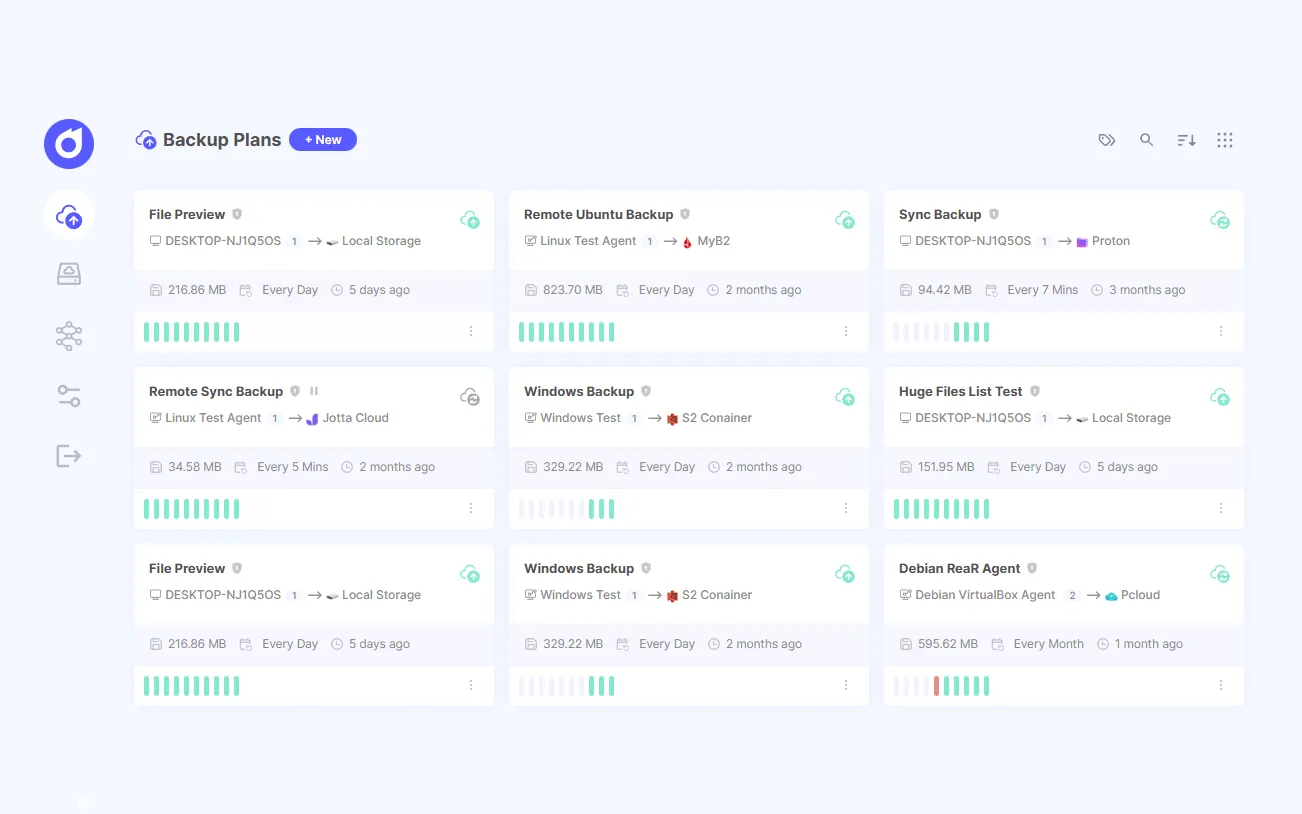
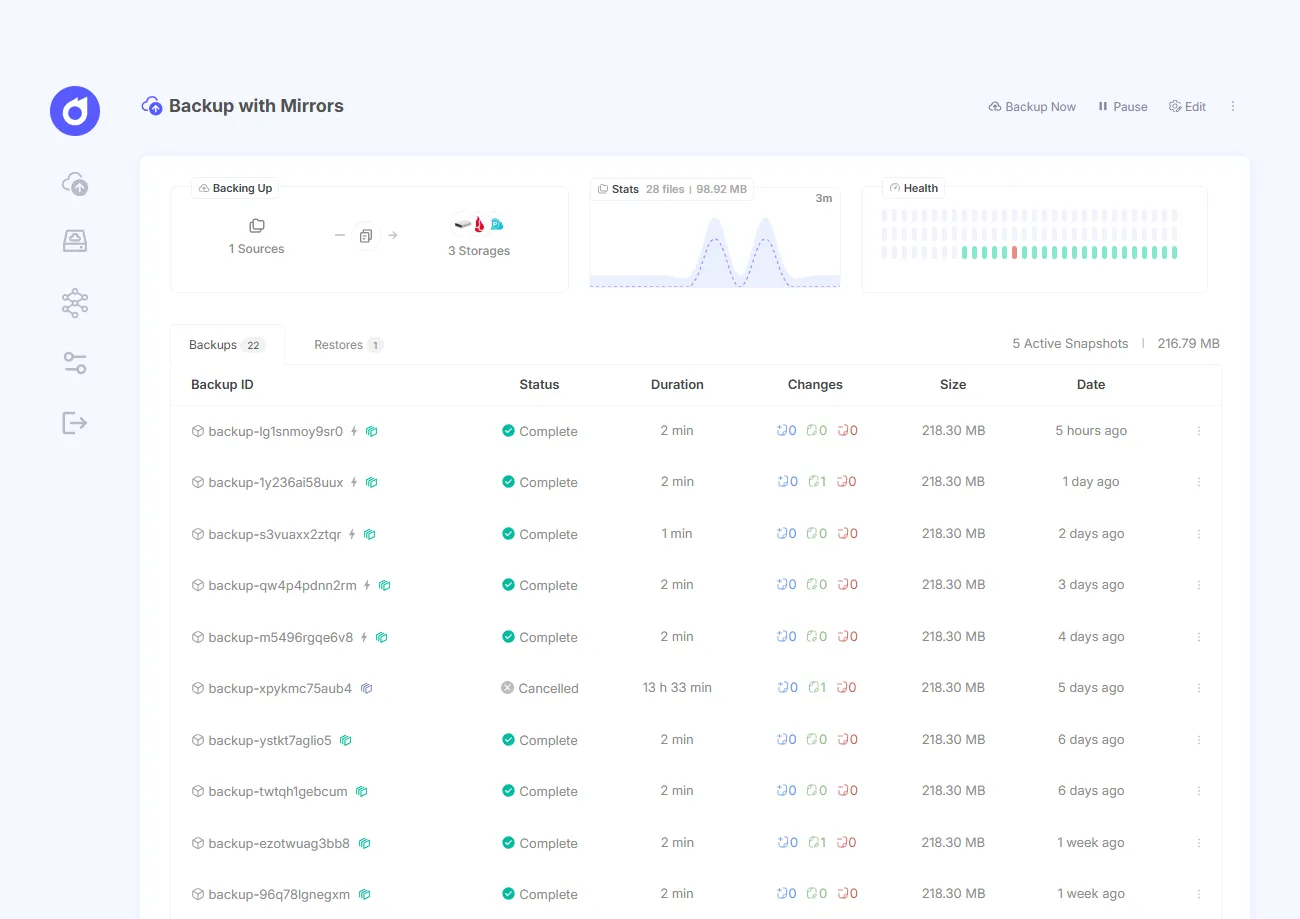
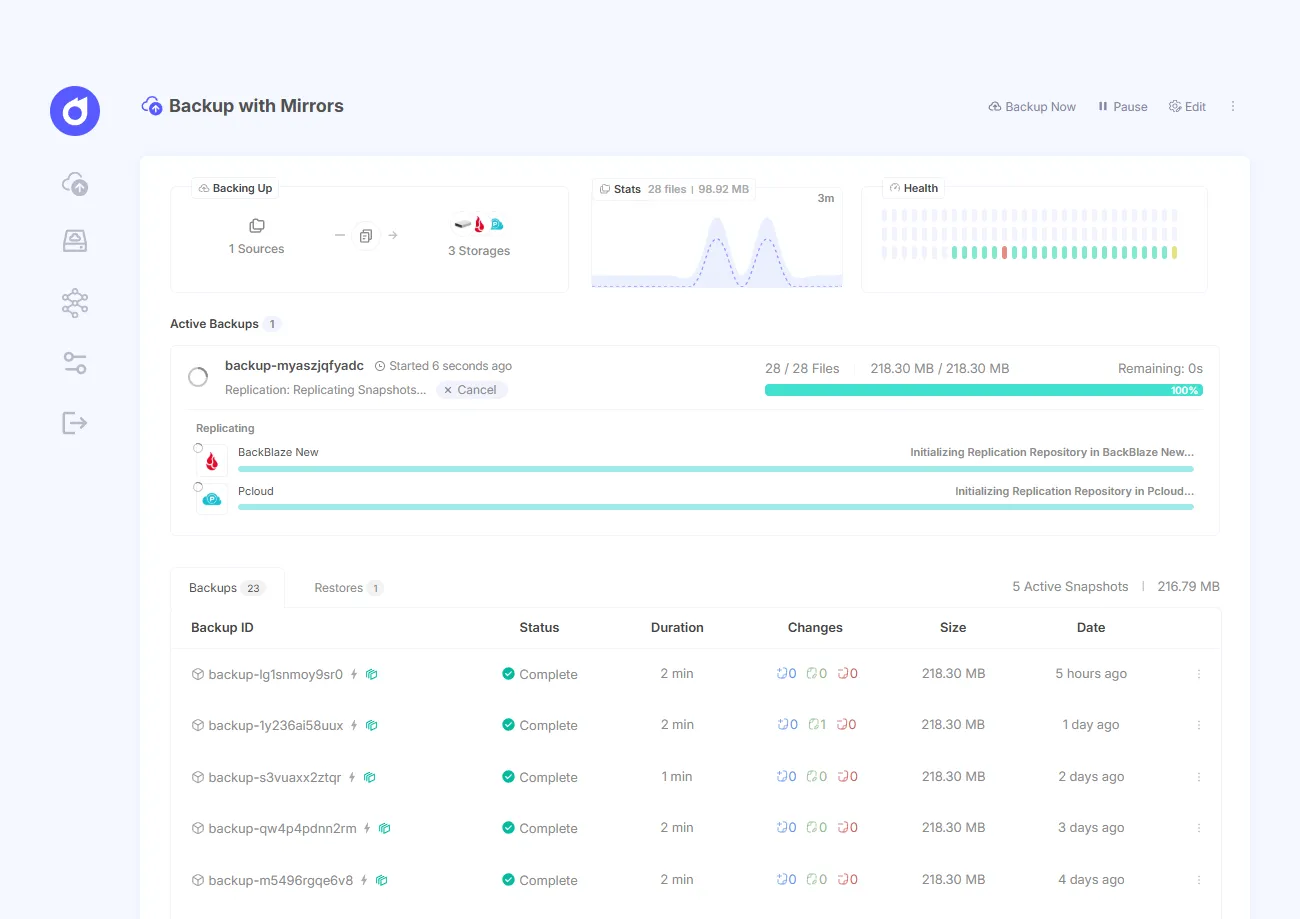
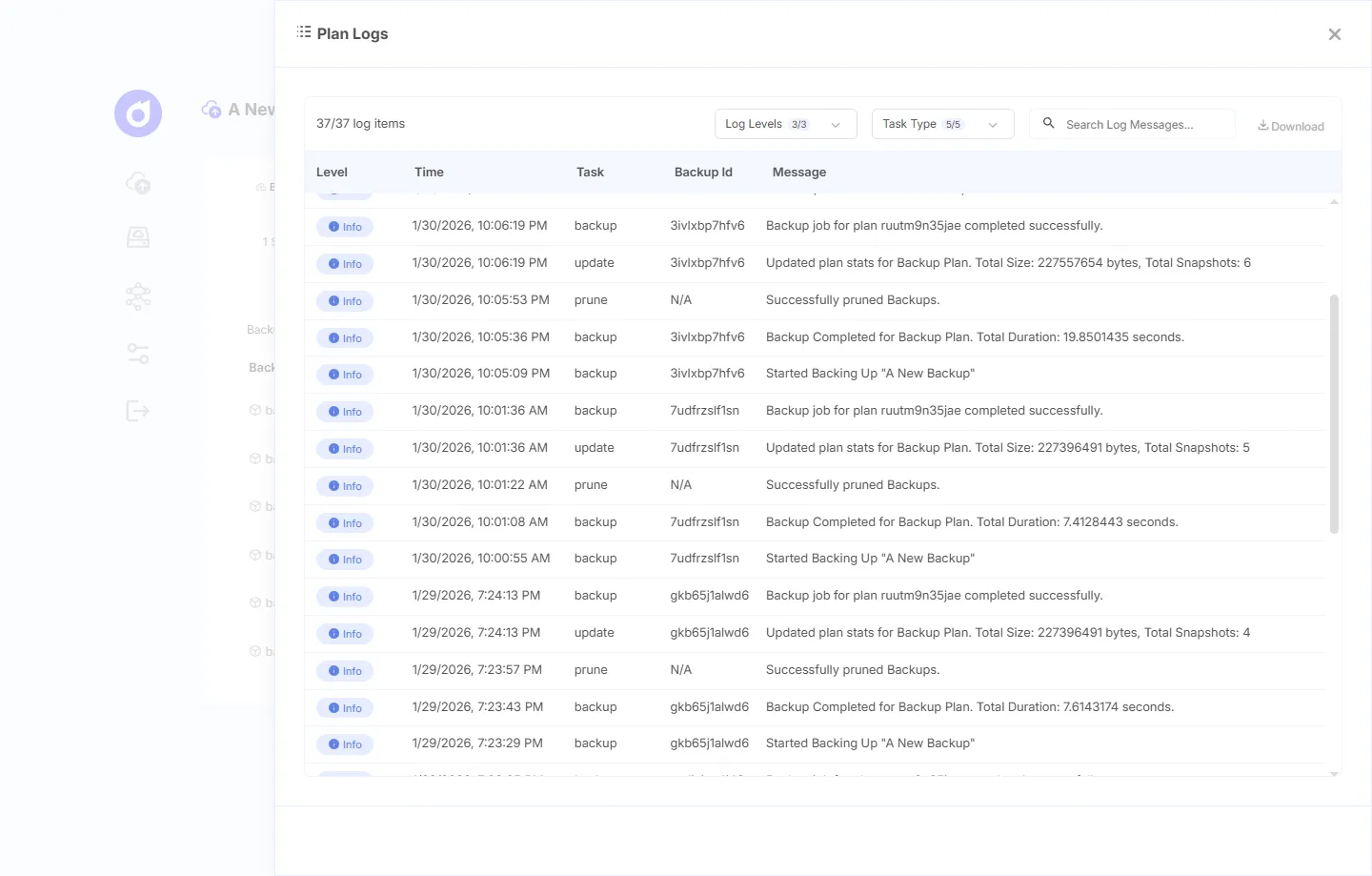
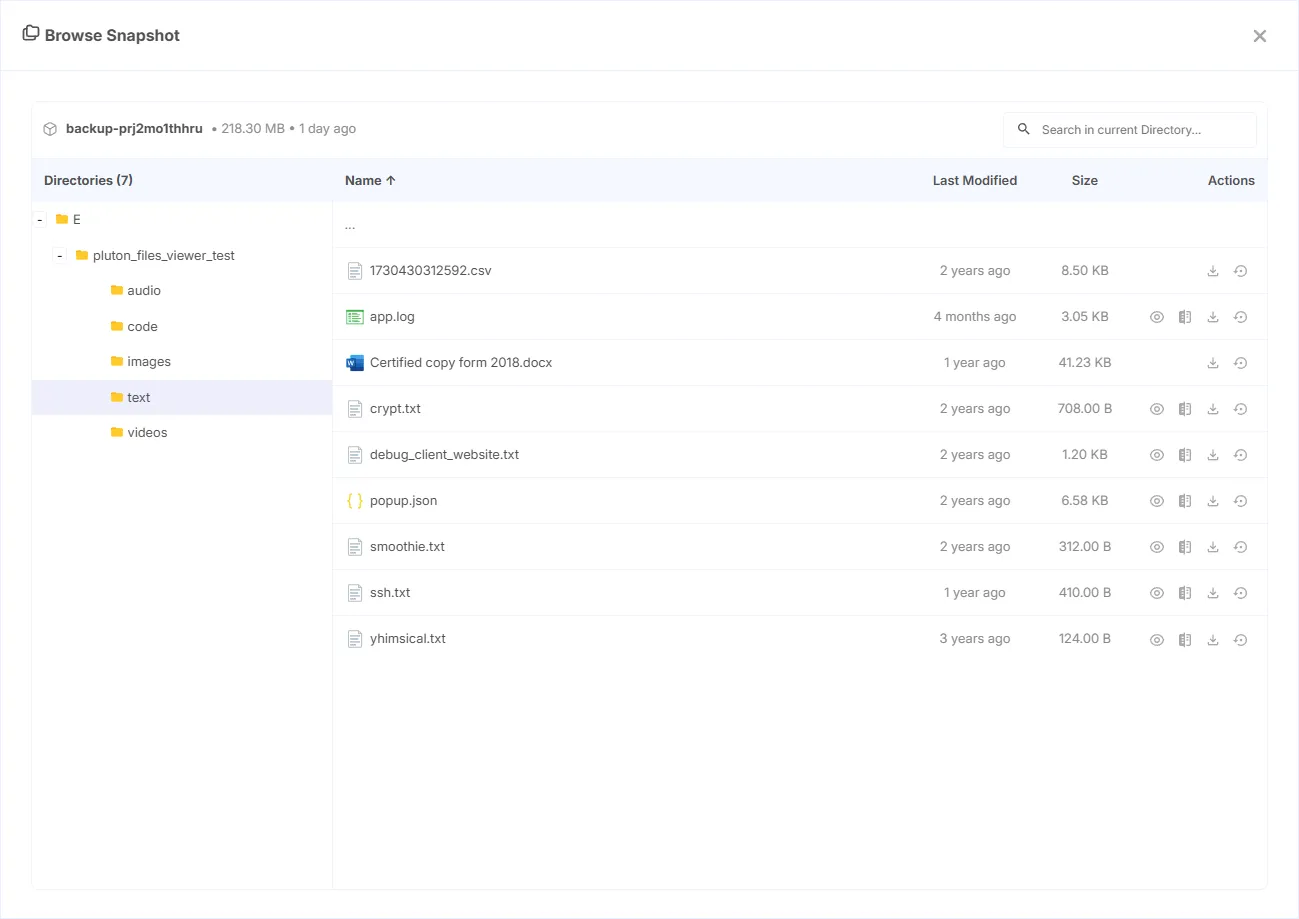
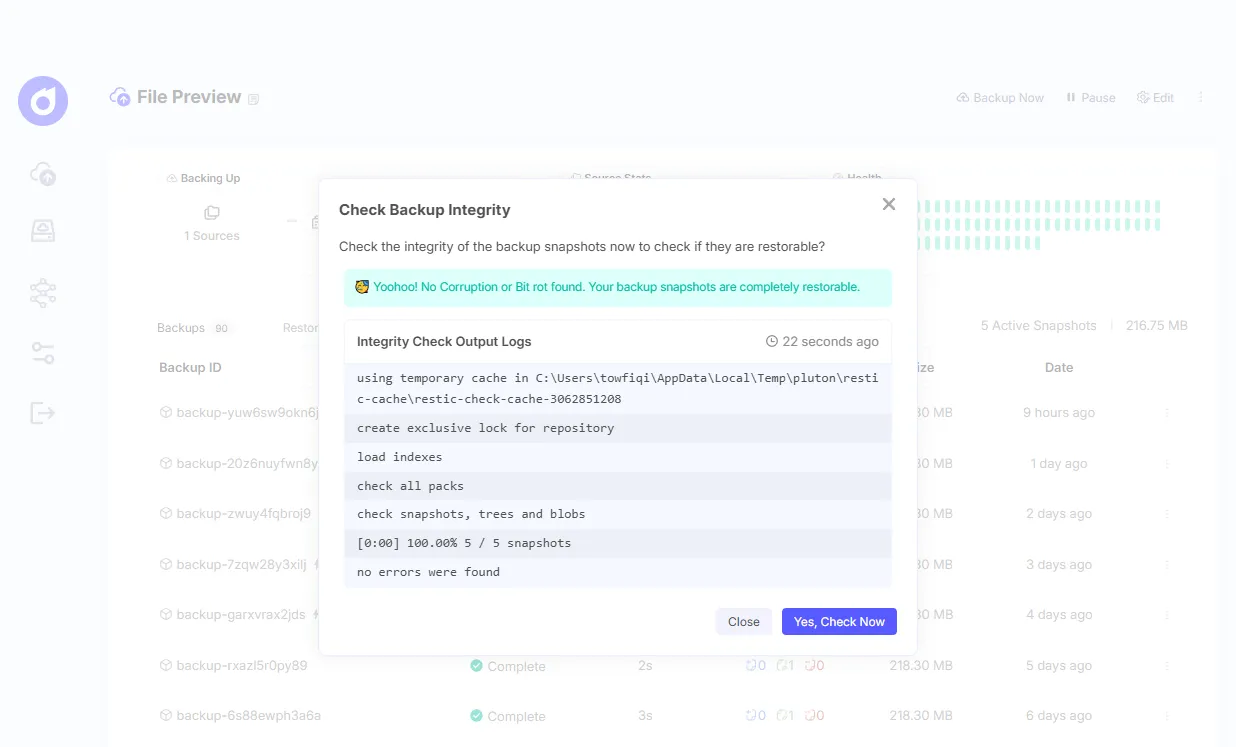
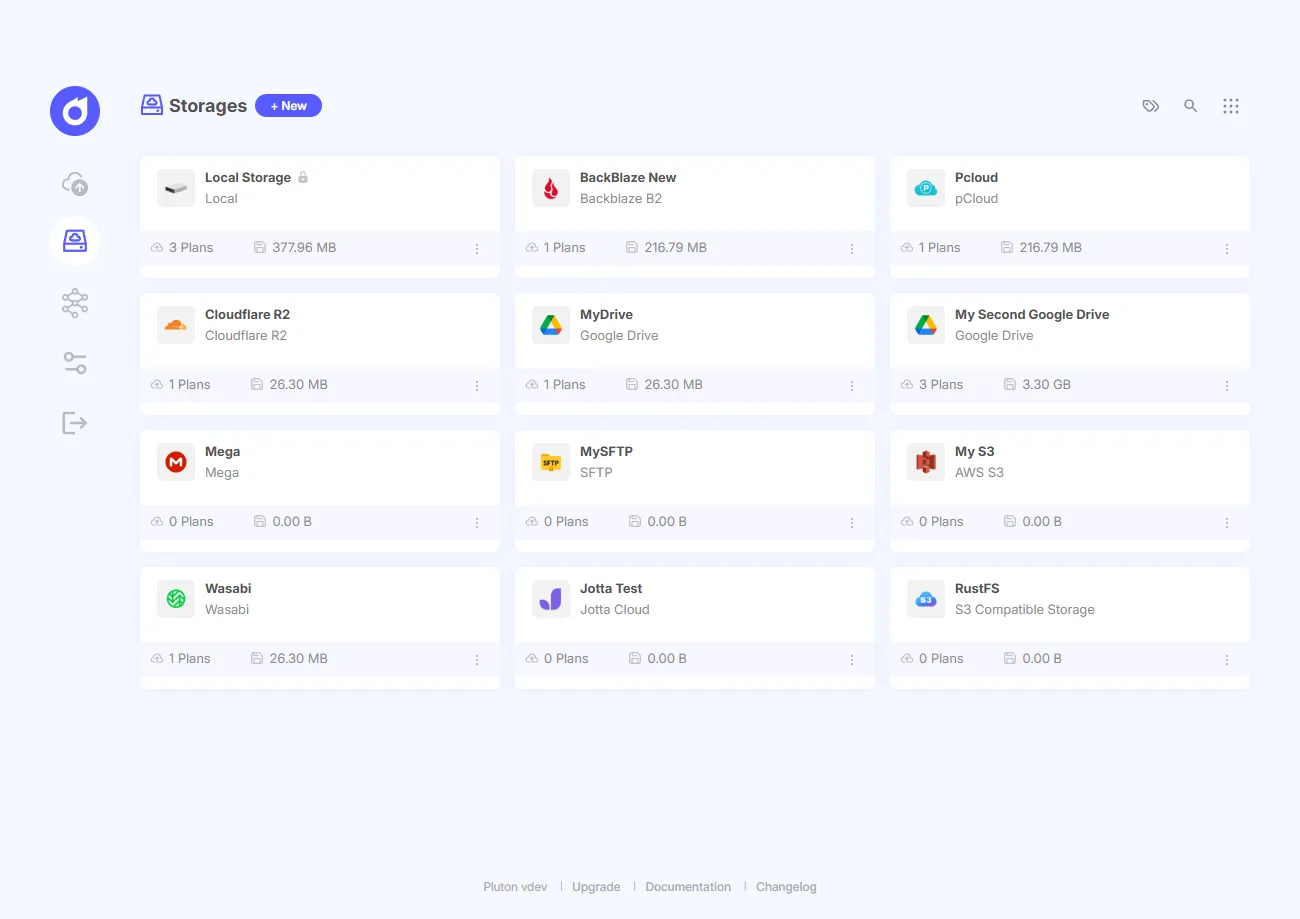
You also get the standard goodies: incremental backups, pre/post scripts, auto-retry, retention policies, 2FA, and a restore wizard that lets you click through snapshots like a regular file manager. It barely uses ~50 MB of RAM when idle, so a standard Raspberry Pi crushes it.
What it won’t do: UrBackup is still the king of bare-metal Windows imaging, and Pluton doesn’t do that. Remote machine management is locked behind the PRO tier, so if you need to manage 20 servers from one dashboard for free, look elsewhere. Plus, since it’s powered by restic, it inherits restic’s famous hunger for memory when running prune on massive, multi-terabyte repos.
But because it’s restic under the hood, you’re never locked in. You can ditch Pluton tomorrow and read your backups using the raw restic CLI with zero friction.
Deployment: Official Docker image (plutonhq/pluton), Docker Compose, or standalone on Windows, macOS, and Linux.
Best for: Folks who want massive storage choice, real notifications, and a slick UI for their self-hosted stack.
Got Docker? Check out our guide to backing up Docker containers and volumes.
2. Kopia: The One That Can Act Like Its Own Server
Kopia is awesome because it’s the only tool in bucket one that can optionally act like a bucket two setup. Its Repository Server mode turns a Kopia instance into a proxy for your storage. Your endpoints authenticate via HTTPS with just a username and password, meaning they never touch your actual storage credentials (Kopia documentation, 2026). Getting S3 root keys off every laptop in your network is a massive security upgrade.
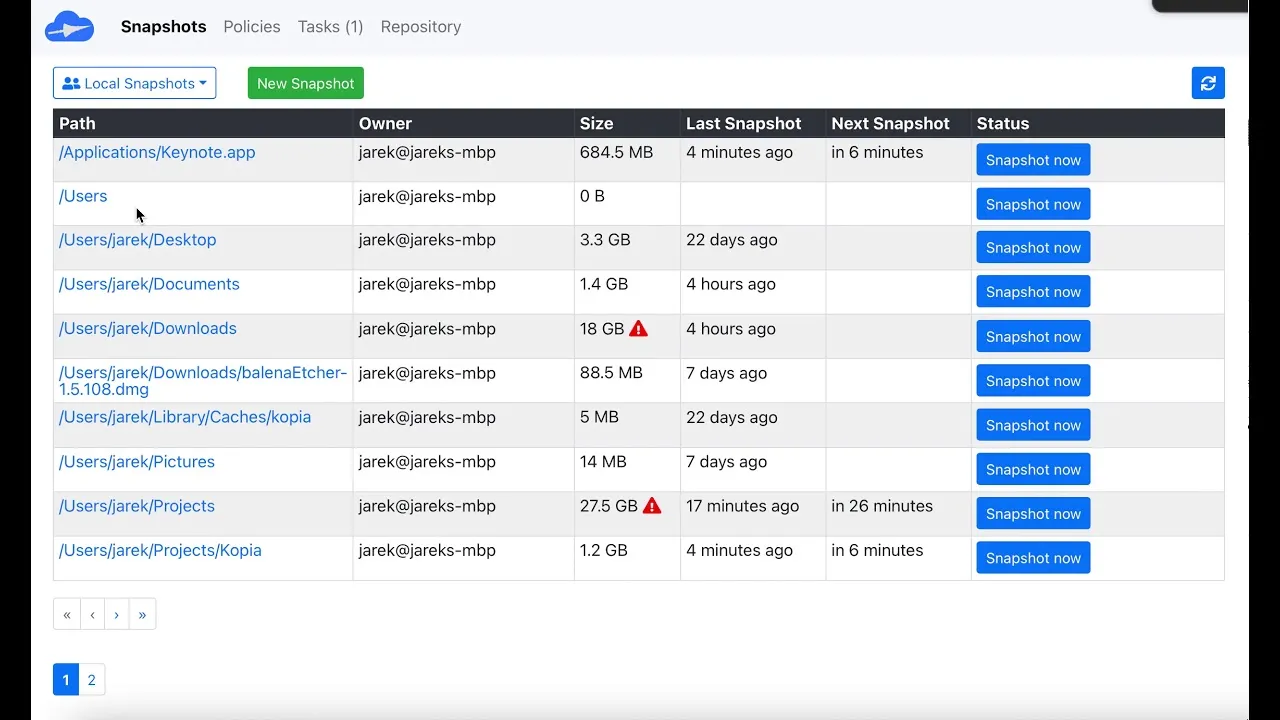
Kopia’s desktop GUI, with an optional Repository Server mode.
The core engine is Apache-2.0 and supports Windows, macOS, and Linux. It hits S3, Azure Blob, Backblaze B2, Google Cloud Storage, WebDAV, SFTP, and local disks (Kopia documentation, 2026). It also packs bitrot error correction, which you almost never see in this space. The current release is v0.23.1 from June 16, 2026, a bugfix drop that squashed a rare race condition that could cost you data.
Just read the fine print on access control: Kopia’s docs mention that only policy and snapshot manifests are access-controlled. If a user magically guesses a content ID, they can technically read it. (It’s a side effect of how their deduplication works.) Also, it’s still technically pre-1.0 after years in development.
Deployment: Official Docker images and native packages everywhere. Repos Server mode runs great behind a reverse proxy. Best for: Power users who want object storage support, bitrot protection, and a smart way to hide storage credentials from client machines.
3. Backrest: Fast, Minimal, and Bulletproof
If you just want to go from zero to a working backup with a web UI in under a minute, Backrest is fantastic. It’s a minimal GPL-3.0 wrapper around the restic CLI. Version 1.14.1 dropped in July 2026 bundling restic v0.19.1.
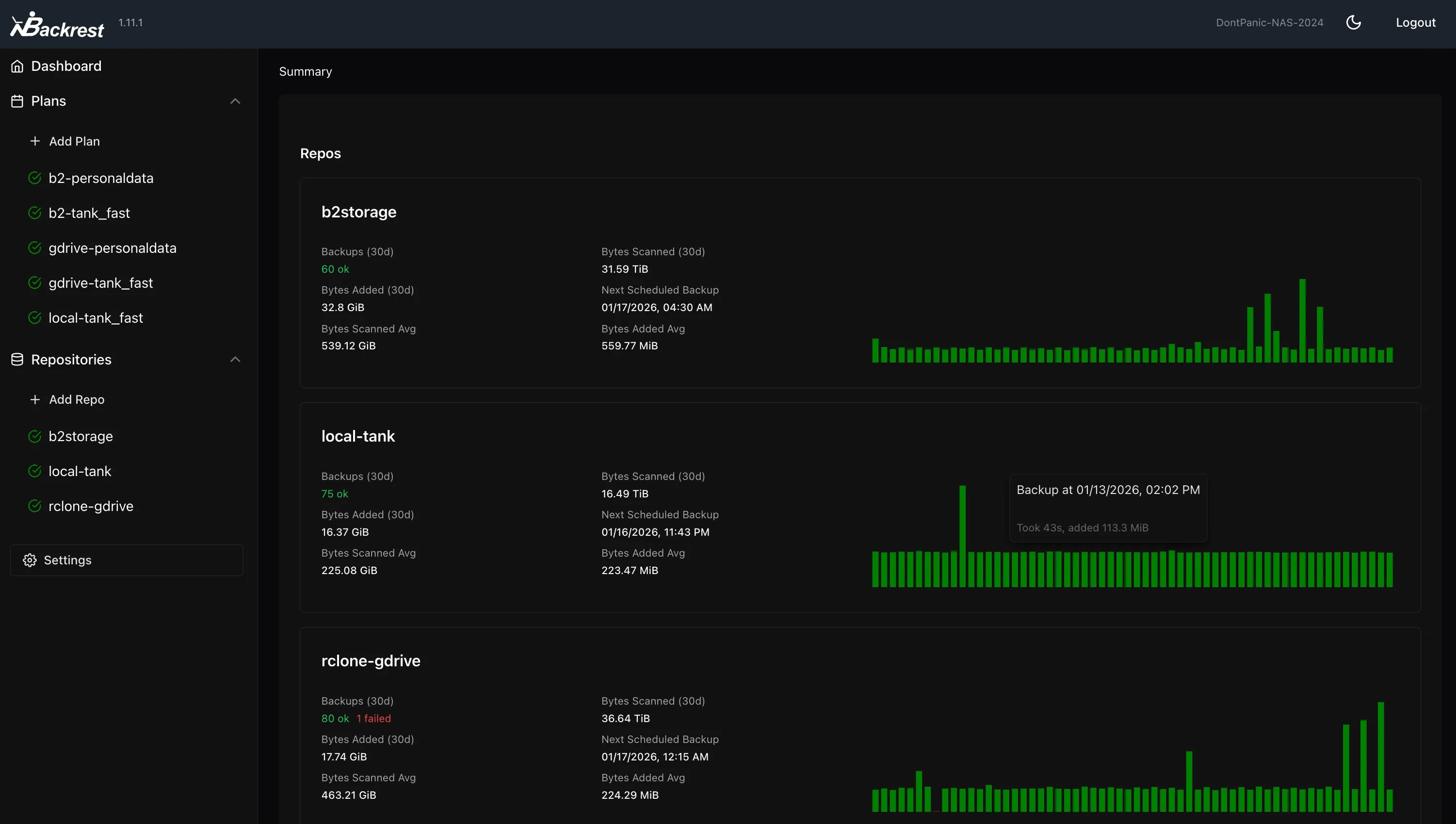
Backrest is a minimal single-binary web UI over the restic CLI.
The beauty of Backrest is that it barely exists. It generates standard restic repos and just acts as an interface for the underlying CLI. If the dev abandons the project tomorrow, you lose absolutely nothing: just run restic restore in your terminal and you’re good.
They added multihost sync in v1.13.0, but it’s important to know it only syncs config and operation history, not the actual repository data. Each client still runs its own backup into a shared repo. It’s a great tool, but alerting is definitely thinner compared to Pluton.
Deployment: Official Docker image or a single drop-in binary. Super low friction. Best for: A single NAS or home server where you just want a GUI for restic and nothing bloated.
Want a deeper dive on restic GUIs? Read our restic GUI tools roundup.
4. Duplicati: Your Software, Consumer Cloud Storage
Duplicati is the move if you’re trying to leverage a massive Google Drive or OneDrive quota you’re already paying for. Its docs list 28 destinations, and it treats consumer sync accounts as first-class citizens rather than hacky workarounds: Dropbox, Google Drive, OneDrive, Mega, pCloud, Jottacloud, SharePoint, etc., right alongside standard S3 and B2 buckets (Duplicati, Destination overview, 2026).
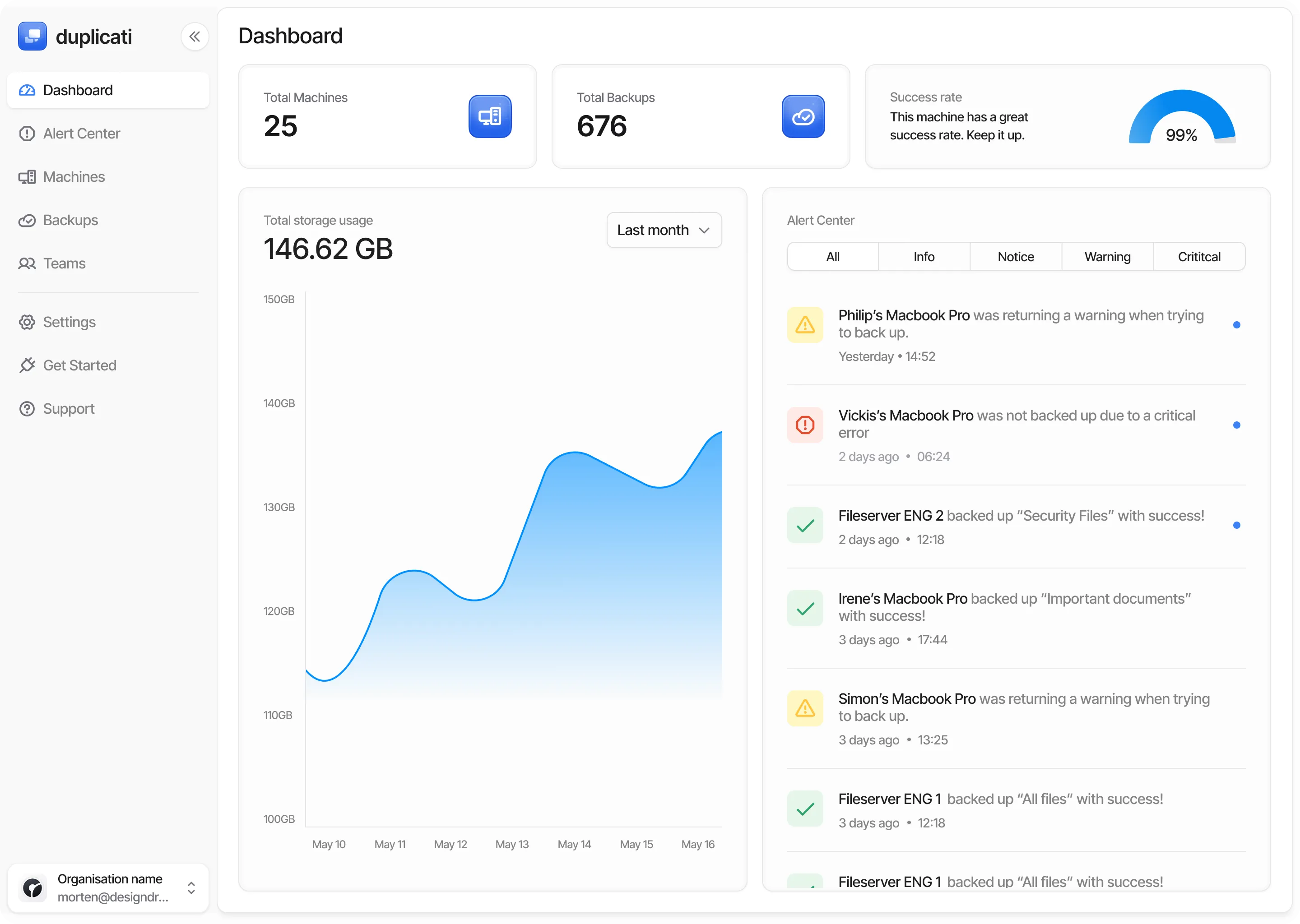
Duplicati treats consumer sync accounts as first-class destinations.
And good news: the eternal beta is finally over. Version 2.4.0.0 went stable on September 3, 2026 (Duplicati forum, Release 2.4.0.0 stable). That update brought full-disk backups for Mac/Linux and PAR2 error correction.
Historically, Duplicati had a rough rep for corrupting databases if an incremental volume got messed up (Duplicati, Wikipedia). Even the new 2.4.0.0 release thread had some folks reporting wiped settings or RAM spikes, so definitely test your restores if you upgrade.
Deployment: Official Docker image, plus standard installers (now including a native Windows service installer). Best for: People sitting on terabytes of OneDrive or Google Drive space who want a free GUI to back up to it.
5. Duplicacy: Killer Engineering, but It Costs
Duplicacy grabs a spot on this list strictly for its lock-free deduplication. It lets a dozen different machines all back up into the exact same shared repository at the same time without tripping over each other or needing a central lock. It saves an insane amount of storage if you have multiple PCs in your house backing up similar OS files.
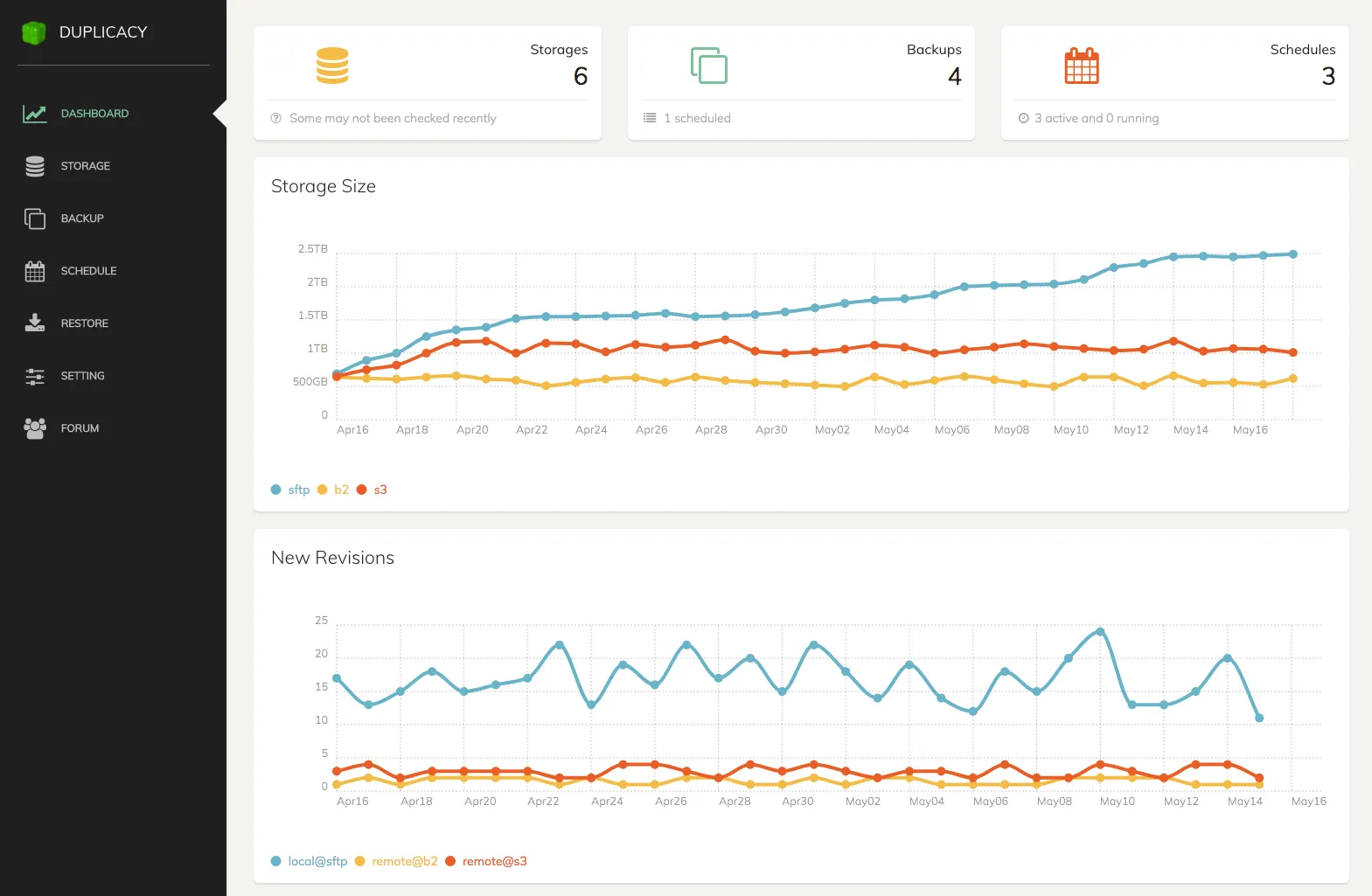
Duplicacy’s Web Edition, powered by its lock-free deduplication engine.
It has a CLI and a local Web Edition across all major OS platforms.
Here’s the catch: it’s not truly open source. It’s under a proprietary license that GitHub reads as NOASSERTION (Duplicacy LICENSE.md, 2026). It’s free for personal CLI use, but commercial use is $50 per computer per year (Duplicacy, Buy, 2026). The personal GUI costs $20 the first year, then $5 to renew per machine.
To their credit, they handle expired licenses beautifully. Only the backup command checks for a license. You can restore, check, or copy your data forever, even if you stop paying.
Deployment: Native binaries. No official Docker image, so you have to trust community builds if you’re a Compose user. Best for: Teams or households backing up multiple machines to a single storage bucket who don’t mind paying an annual fee for epic dedup.
6. UrBackup: The King of Bare-Metal Imaging
When you say “backup” and mean literally cloning the entire hard drive instead of just grabbing some folders, you want UrBackup. It’s a true client/server setup under AGPL-3.0 that handles full and incremental disk-image backups with bootable restore media. Almost nothing else in the open-source self-hosted space does this well.
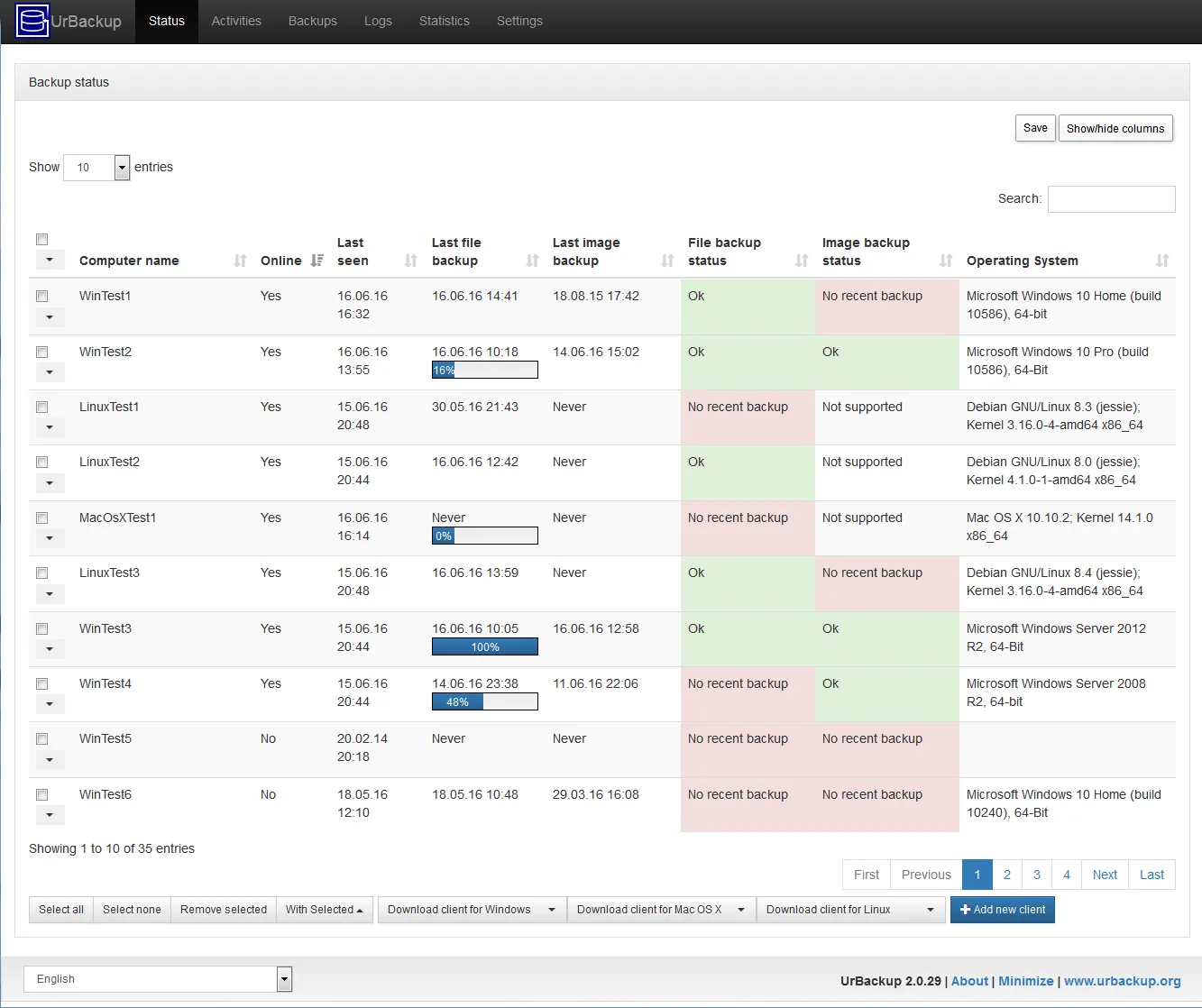
UrBackup handles full and incremental disk-image backups from a LAN server.
You stand up the UrBackup server on your LAN, install agents on your endpoints, and it quietly handles everything in the background. If you run btrfs or ZFS on the server, it takes native filesystem snapshots, saving crazy amounts of space.
But remember the buckets: the backups land on the server’s local disks, not an S3 bucket. If you want an offsite copy, you have to script a second tool to replicate the server’s filesystem to the cloud. And it’s mostly a Windows-centric tool when it comes to disk imaging.
Deployment: Official Docker image for the server. Clients for Windows, Linux, and macOS. Best for: A local network of Windows PCs where you want effortless bare-metal restores.
7. BorgBackup: Bulletproof SSH Backups
Let’s kill a myth real quick: there is no Borg daemon. When people talk about a “self-hosted Borg server,” they literally just mean an SSH account running borg serve as a forced command in the authorized_keys file (BorgBackup, borg serve, 2026).
It sounds basic, but it gives you the best ransomware protection on this list. Use --restrict-to-repository in append-only mode, and even if a client gets completely compromised by malware, it can only add data. It literally cannot overwrite or delete the historical backups. (Though it can still prune/read, so it’s not a true cold-storage freeze.)
The downsides? Borg 1.4.5 is the current stable release, but Borg 2.0 has been lingering in beta forever with an incompatible repo format coming down the pipe. Plus, there is zero native Windows support.
Deployment: Linux/macOS packages. No official Docker image and no Web UI natively. Best for: Linux/macOS users who care more about append-only security to a remote SSH box than having a shiny dashboard.
The Self-Hosted Roundup
Here’s the real stuff that actually dictates a deployment.
| Pluton | Kopia | Backrest | Duplicati | Duplicacy | UrBackup | Borg | |
|---|---|---|---|---|---|---|---|
| Storage integration | 70+ via rclone | S3, B2, Azure, GCS, SFTP, WebDAV | Anything restic reaches | 28 storages | Major clouds + SFTP | Server disks only | Local or SSH only |
| Encryption | Yes | Yes | Yes | Yes | Yes | Yes | Yes |
| Notifications | Email, Slack, Discord, NTFY, webhooks | None built in | Basic hooks | Email, or paid console | None, script it yourself | ||
| Docker support | Official image | Official image | Official image | Official image | Community only | Official image | Community only |
| Cross-platform | Yes | Yes | Yes | Yes | Yes | Yes | Linux / macOS |
| Vendor lock-in | None, plain restic repos | None, open format | None, plain restic repos | None, MIT client | Backup is licence-gated | None | None |
| Backup replication | Yes, built in | Manual repository sync-to | No | Sync copy mode, 2.4.0.0 | Manual copy command | No | No |
| Multi-machine management | Yes, agent-based (PRO) | Repository Server mode | Config sync only | Paid hosted console | Shared-repo dedup only | Yes, core design | No |
| Automated recovery testing | Yes (PRO) | No | No | No | No | No | No |
| Licence | Apache-2.0 core, PRO closed | Apache-2.0 | GPL-3.0 | MIT | Source-available | AGPL-3.0 | BSD-3-Clause |
Notice how Storage integration basically cuts the list in half. That determines if getting your data offsite is a simple dropdown selection or an entire weekend side-project. Docker support is also huge, and it’s crazy that two titans in this space still rely on community images. And for notifications, half these tools cap out at a basic email.
Source: Sophos, The State of Ransomware 2025 and 2026. The 2026 edition surveyed 2,158 IT and security leaders across 17 countries.
That drop in 2025 is rough. Backup-based recovery cratered to a six-year low of 54% (Sophos, The State of Ransomware 2025) before bouncing back to 66% in 2026 (Sophos, The State of Ransomware 2026). It means a third of all victims had backups but couldn’t actually use them. That’s why testing restores and using append-only repos is so critical.
So Which One Should You Actually Run?
Don’t just pick the one at the top of the list. Pick the one that fits your homelab or business.
- Got one or two machines pushing to rented cloud storage? Go Kopia if you live in the terminal, Backrest if you want a dead-simple web UI, or Pluton if you want a dashboard with massive destination flexibility and push notifications.
- Managing a bunch of Windows PCs on a LAN? UrBackup. Full stop.
- Want to dump backups into an existing Google Drive or OneDrive account? Duplicati is finally stable as of late 2026 and handles consumer clouds perfectly.
- Paranoid about ransomware wiping your NAS? Borg over SSH in append-only mode. Just accept that you won’t have a GUI or Windows support.
- Backing up similar OS files from several machines? Duplicacy’s shared-repo dedup is god-tier if you don’t mind dropping $50 a year.
- Want 70+ storage options, true 3-2-1 replication, and Discord/Slack alerts for free? I literally built Pluton to fill that exact gap.
Whatever you go with, just remember: setting it up is the easy part. In 2026, 90% of orgs were confident they could recover from a cyber incident, but only 28% of ransomware victims actually got all their data back (Veeam, Data Trust and Resilience Report 2026).
Set it up. Then go test a restore.
Care more about licensing than the deployment model? Check out our piece that compares the same category by licence.
Spin Up a Self-Hosted Backup in Under 5 Minutes
Pluton’s free Apache-2.0 edition will get you encrypting and backing up data to the cloud in about five minutes. No CLI required, and no account to register (Pluton Docs, 2026).
Docker is by far the fastest way to get rolling:
docker run -d \
  --name pluton \
  -p 8888:8888 \
  -v pluton_data:/data \
  plutonhq/pluton:latest
Just load up the web UI, click through the wizard, attach one of the 70+ backends, and set a schedule. Add a second destination to lock in a 3-2-1 strategy, and hook up your Discord or NTFY so you actually know when a job finishes.
Your backups stay standard restic repos the entire time, so you’re never locked in.
Get the free, open-source edition of Pluton →
Frequently Asked Questions
What is the best self-hosted backup solution in 2026?
It totally depends on your setup. If you want to run the software locally but dump data in the cloud, Pluton, Kopia, and Backrest are killer. If you want bare-metal network imaging on a local LAN, UrBackup dominates. For pure ransomware defense on Linux, use Borg in append-only mode.
Is self-hosting my backups really safer than the cloud?
Yes and no. It’s safer because you hold the encryption keys and your raw data never sits naked on a third-party server (which is why 94% of IT guys fear vendor lock-in (Parallels, 2026)). But it’s riskier because you have to apply the security patches.
What’s the best free self-hosted backup server?
UrBackup is the best true free server (AGPL-3.0) for dumping data to local disks over a LAN. If you want free software that writes out to S3 or object storage instead, grab Pluton’s free tier or Kopia.
Can these tools write directly to S3 or Backblaze B2?
Five of them can natively: Pluton (using rclone), Kopia, Duplicati, Backrest, and Duplicacy. UrBackup and BorgBackup cannot, since they strictly write to local storage or SSH targets.
Do I lose my backups if I stop paying for my backup software?
Usually, no. With Duplicacy, your scheduled backups stop, but you can still run restore forever. With open-source stuff like Kopia, Borg, Duplicati, or Pluton’s free tier, there’s no expiration date. (If a Pluton PRO license expires, you just lose PRO features, and your backups keep running fine.)
Final Thoughts
Always figure out which architecture bucket you need before comparing any features. If you buy the wrong bucket, you’ll be fighting the software the entire time. Check if the tool supports object storage, and always find out exactly what happens if your license lapses.
If you just want your own hardware to handle client-side encryption and push alerts to your phone for free, try Pluton. Get started here, or poke around the code on GitHub.
Want to dive deeper into the storage side? Read our 3-2-1 backup strategy guide.
Sources
- Sophos, The State of Ransomware 2026, retrieved 2026-09-11, https://www.sophos.com/en-us/blog/sophos-state-of-ransomware-2026
- Sophos, The State of Ransomware 2025, retrieved 2026-09-11, https://www.sophos.com/en-us/blog/the-state-of-ransomware-2025
- Veeam, Data Trust and Resilience Report 2026, retrieved 2026-09-11, https://www.veeam.com/company/press-release/veeam-report-reveals-a-market-wide-shift-from-recovery-confidence-to-proven-data-resilience-amid-ransomware-threats-and-ai-adoption.html
- Parallels, 2026 State of Cloud Computing Survey, retrieved 2026-09-11, https://www.parallels.com/newsroom/news/press-releases/20260217-cloud-survey/
- Kopia, Repository Server documentation, retrieved 2026-09-11, https://kopia.io/docs/repository-server/
- Kopia, Repositories documentation, retrieved 2026-09-11, https://kopia.io/docs/repositories/
- Backrest, Multihost sync documentation, retrieved 2026-09-11, https://garethgeorge.github.io/backrest/docs/multihost
- Backrest, Releases, retrieved 2026-09-11, https://github.com/garethgeorge/backrest/releases
- Duplicati, Release 2.4.0.0 stable 2026-09-03, retrieved 2026-09-11, https://forum.duplicati.com/t/release-2-4-0-0-stable-2026-09-03/22653
- Duplicati, Destination overview, retrieved 2026-09-11, https://docs.duplicati.com/backup-destinations/destination-overview
- Duplicati, GitHub repository, retrieved 2026-09-11, https://github.com/duplicati/duplicati
- Wikipedia, Duplicati, retrieved 2026-09-11, https://en.wikipedia.org/wiki/Duplicati
- Duplicacy, Licence, retrieved 2026-09-11, https://github.com/gilbertchen/duplicacy/blob/master/LICENSE.md
- Duplicacy, Buy and licensing terms, retrieved 2026-09-11, https://duplicacy.com/buy.html
- UrBackup, News and release archive, retrieved 2026-09-11, https://www.urbackup.org/news.html
- UrBackup, GitHub repository, retrieved 2026-09-11, https://github.com/uroni/urbackup_backend
- BorgBackup, borg serve documentation, retrieved 2026-09-11, https://borgbackup.readthedocs.io/en/stable/usage/serve.html
- BorgBackup, Releases, retrieved 2026-09-11, https://github.com/borgbackup/borg/releases
- Pluton, Product overview and features, retrieved 2026-09-11, https://usepluton.com
- Pluton, Documentation, retrieved 2026-09-11, https://docs.usepluton.com