Best Open-Source Backup Software in 2026: 11 Tools Compared
 Towfiq I
In 2026, 90% of organizations claim they’re completely confident they can bounce back from a cyber incident. But the reality? Only 28% of ransomware victims actually get all their data back (Veeam, Data Trust and Resilience Report 2026). That massive gap is the whole problem. Having confidence is easy, but pulling off a successful restore is a totally different beast.
If you search for open-source backup software right now, you run into a wall of tools that shouldn’t even be compared side-by-side. You’ve got raw command-line engines lumped in with desktop apps, right next to heavy enterprise systems built for tape libraries. Since the last decent guide on this was written in 2019, we decided to benchmark 11 tools based on what actually matters: the license, where it can send your data, how alive the project is, and where it sits in the software stack.
Key Takeaways
- Open-source backup tools fall into three distinct categories that get mixed up all the time: backup engines (restic, BorgBackup, Kopia), management layers that slap a GUI on an engine (Pluton, Duplicati, Backrest, Vorta), and heavy client/server platforms (UrBackup, Bareos, Bacula).
- The quickest way to narrow your choices is storage reach. restic, Kopia and Duplicati can write directly to S3 and Backblaze B2 natively. BorgBackup cannot, requiring a bolted-on workaround like rclone or SSHFS (BorgBackup FAQ, 2026).
- Duplicacy is not actually open source. The CLI is free if you’re using it personally, but commercial usage demands a paid license (Duplicacy, Downloads, 2026).
- Always check a project’s pulse before trusting it with your data. Amanda hasn’t seen a push to its public repository since January 2024, while Bareos pushed five whole releases in 2026 alone.
What Actually Counts as Open-Source Backup Software?
Not everything pitching itself as open-source backup software actually fits the bill. The Open Source Initiative strictly requires that anyone can use, modify, and redistribute the code for whatever they want, including commercial use. A bunch of popular tools fail that last test, but the aggregators rarely point it out.
You’ll generally see three flavors out there: Genuinely open source means an OSI-approved license without usage limits: think restic (BSD-2-Clause), Kopia (Apache-2.0), or Duplicati (MIT). Source-available means you can look at the code but you can’t just do whatever you want with it. This is where Duplicacy lives. Open core means the foundation is open, but paid, closed-source extensions exist on top. That’s the model for Bacula’s Community/Enterprise split, and it’s how we operate, too. Pluton’s Basic edition is free forever under Apache-2.0, while our PRO and Business editions are closed source (though you still self-host them). It’s better we just say that straight up.
Why care about the license? It dictates if you can deploy it at work without begging procurement, if you can fork it when the maintainer ghosts the project, and if your backup format will outlive the company that created it. In 2026, 55% of organizations said they went open source specifically to dodge vendor lock-in, a massive jump from 33% the previous year (OpenLogic, 2026 State of Open Source Report).
Engines, Management Layers, and Platforms
Most of the headaches in this space come from comparing tools built for completely different jobs. Once you know which of the three layers you actually need, your list shrinks fast.
Backup engines do the dirty work: chunking, deduplicating, encrypting, and handling snapshots. Engines like restic, BorgBackup, and Kopia are command-line by design. If you prefer a visual workflow over bare-bones CLI, you don’t want just an engine.
Management layers give you a much-needed GUI to drive the engine, adding the creature comforts CLI tools skip: scheduling, retention policies, monitoring, and alerts. Pluton and Backrest drive restic. Vorta drives Borg. Duplicati is the outlier here, acting as a management layer but running its own custom engine underneath.
Client/server platforms use a totally different playbook: a central server coordinates agents sitting on your endpoints, dumping backups onto the server’s local disks. UrBackup, Bareos, and Bacula all work this way.
Here is the golden rule: a management layer inherits all the flexes and all the flaws of its engine. Backrest still hits restic’s memory spikes during prune operations because it is restic. Vorta can’t drop files in S3 because Borg can’t. Asking “restic or Duplicati?” misses the point. You need to ask, “Do I need a CLI engine, a GUI wrapped around an engine, or a full-blown client/server setup?”.
Source: Veeam, Data Trust and Resilience Report 2026 (900+ IT, security and risk leaders).
Just getting started with the strategy side? Check out our 3-2-1 backup rule guide.
The 11 Best Open-Source Backup Tools in 2026 (At a Glance)
Here’s the cheat sheet before we dive into the details.
| Tool | Category | Licence | Writes to S3/B2 directly? | Interface |
|---|---|---|---|---|
| Pluton | Management layer | Apache-2.0 (core) | Yes, 70+ via rclone | Web UI |
| restic | Engine | BSD-2-Clause | Yes | CLI |
| Kopia | Engine | Apache-2.0 | Yes | CLI + desktop GUI |
| Duplicati | Management layer | MIT | Yes | Web UI |
| BorgBackup | Engine | BSD-3-Clause | No | CLI |
| Backrest | Management layer | GPL-3.0 | Yes, via restic | Web UI |
| Vorta | Management layer | GPL-3.0-only | No | Desktop GUI |
| UrBackup | Client/server | AGPL-3.0 | No | Web UI |
| Bareos | Client/server | AGPLv3 | Yes | Web UI |
| Bacula | Client/server | AGPLv3 | Partial | CLI (web console paid) |
| rsync + rsnapshot | Sync utility | GPL | No | CLI |
Look at how brutal that fourth column is. If you need your backups sitting in object storage, four of these tools are instantly disqualified.
1. Pluton: The Complete Self-Hosted GUI Manager
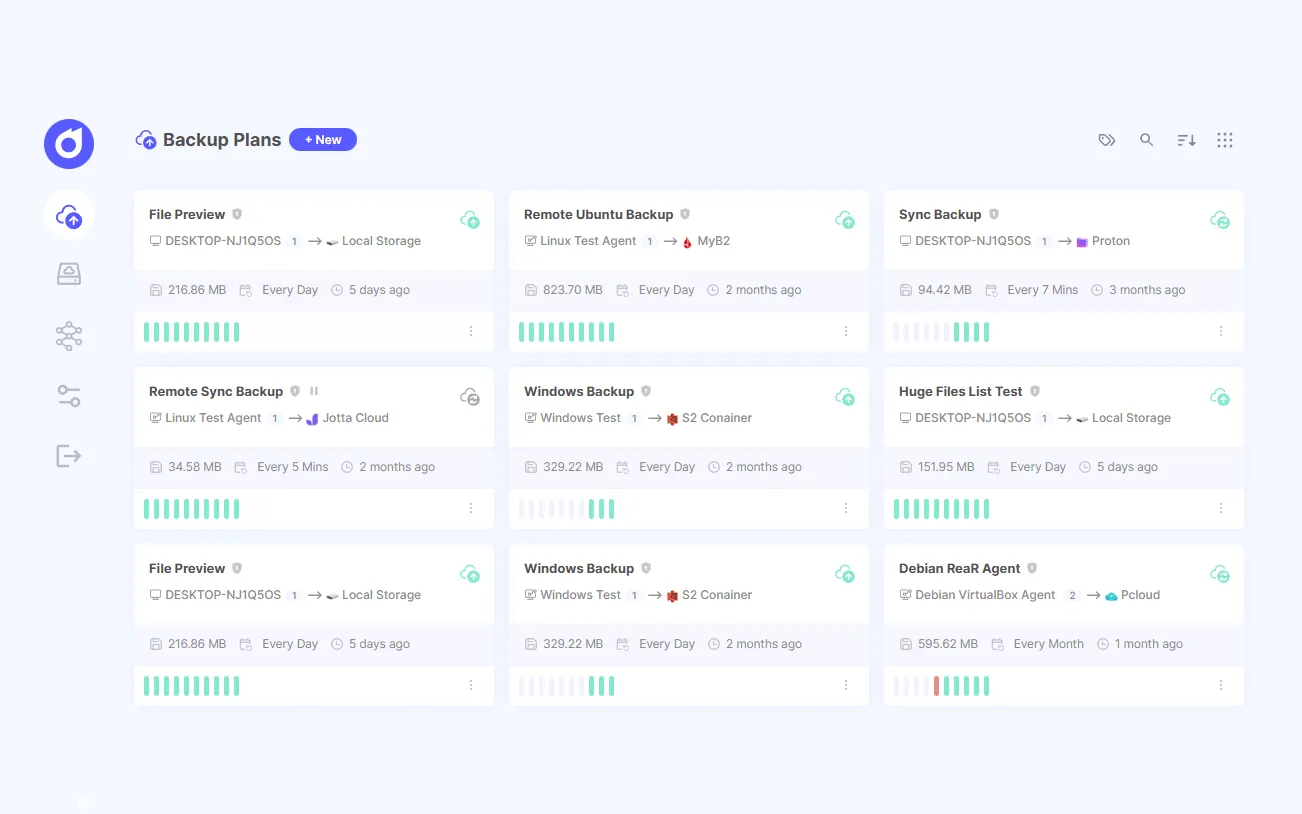
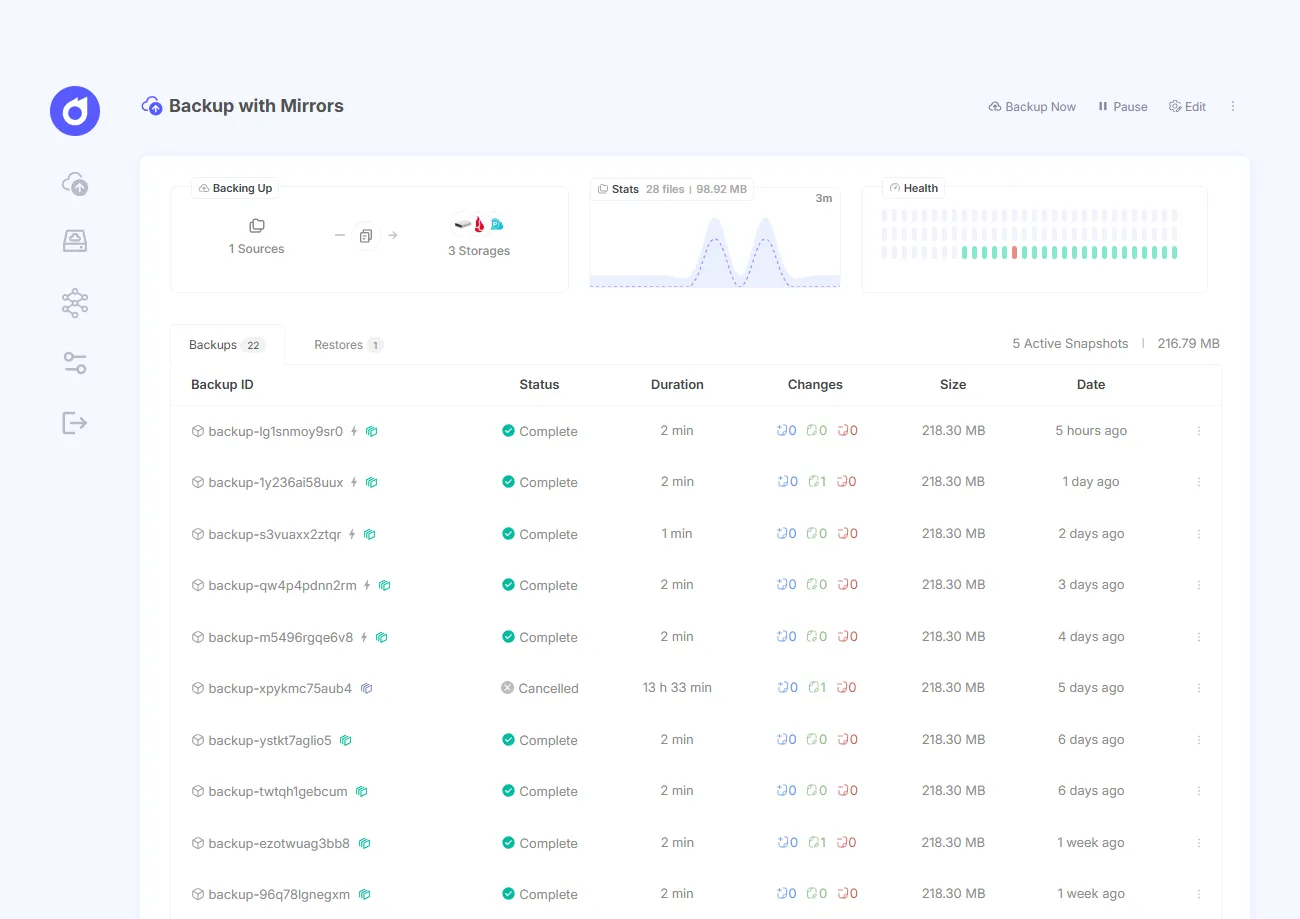
Pluton is an open-source, self-hosted management layer sitting on top of restic and rclone, and the free Apache-2.0 version hooks into 70+ storage destinations through a clean web UI (Pluton, 2026). We’re putting it first because it’s the only tool here combining restic’s engine, massive destination support, and legit failure alerting without making you type a single CLI command.
Alerting is where most open-source solutions drop the ball. Pluton’s free tier pings you on backup starts, successes, and failures via email (five providers), Slack, Discord, NTFY push, and webhooks. The real disaster in self-hosting isn’t a backup failing; it’s a backup failing nine months ago and you never noticing.
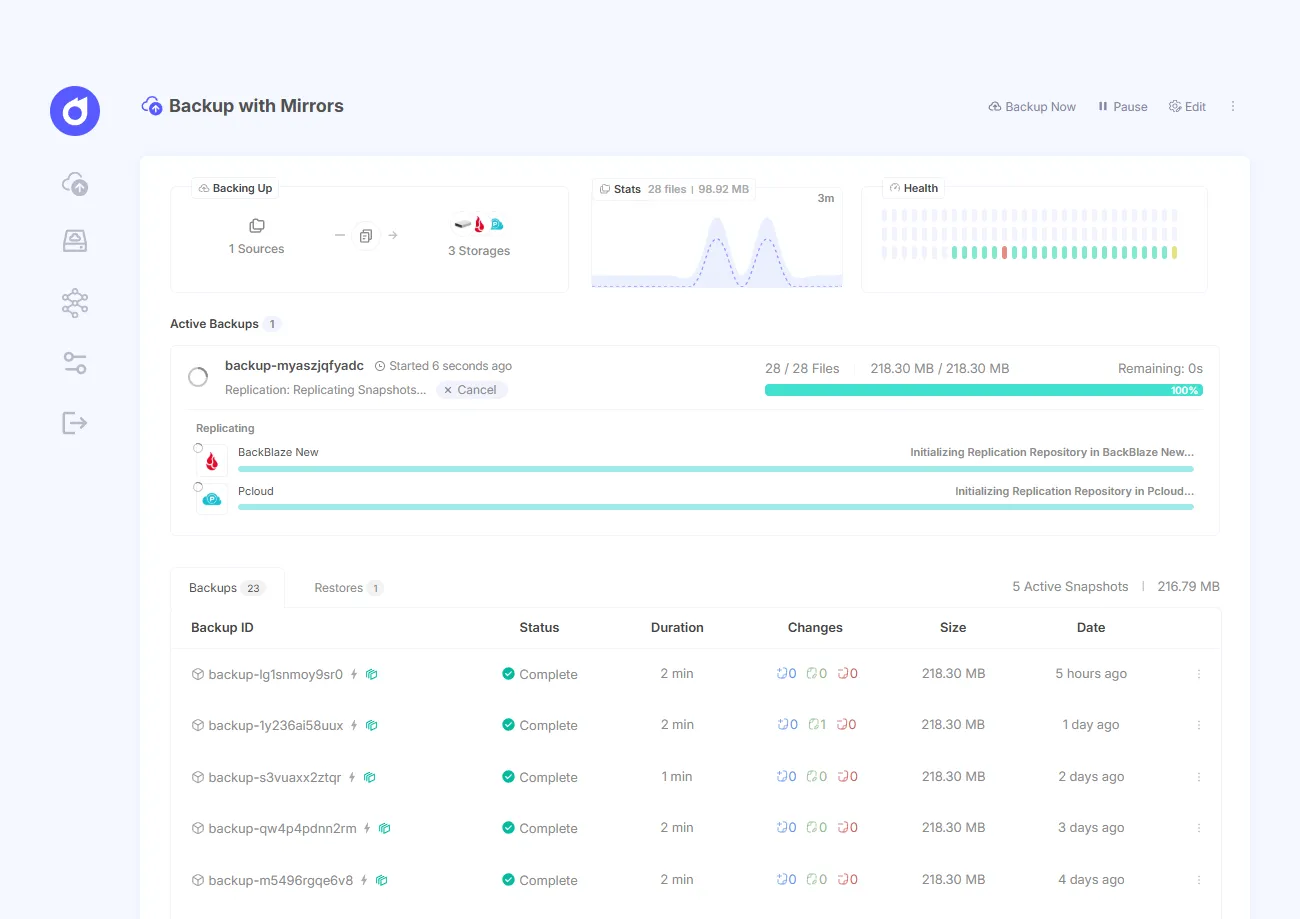
You also get multi-storage replication for an authentic 3-2-1 strategy, retention rules, pre/post-backup scripts, auto-retry, 2FA, and a guided restore wizard. Because it’s restic at the core, your repositories remain standard restic repositories, meaning you can ditch us and read them with the raw restic CLI whenever you want.
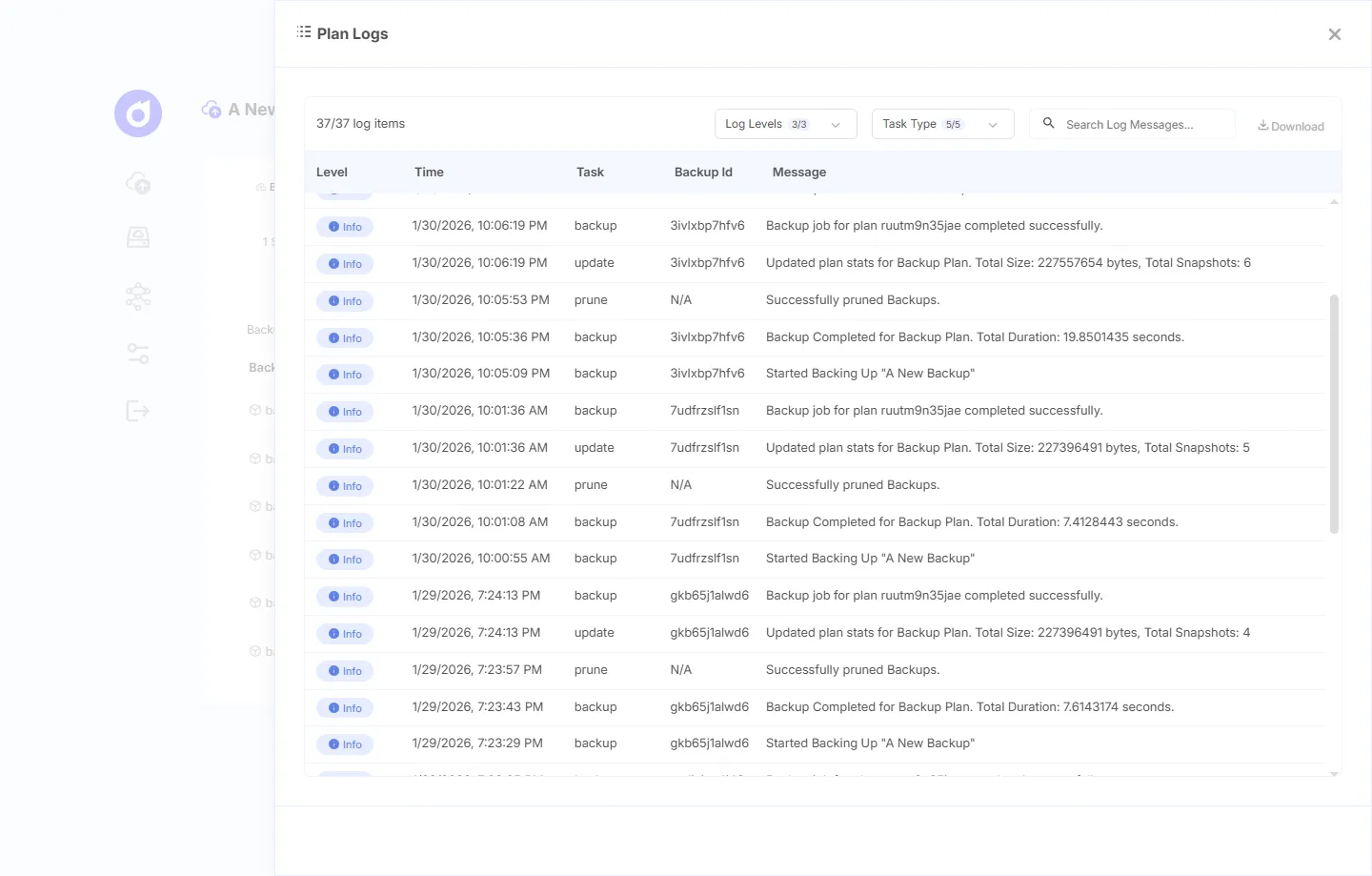
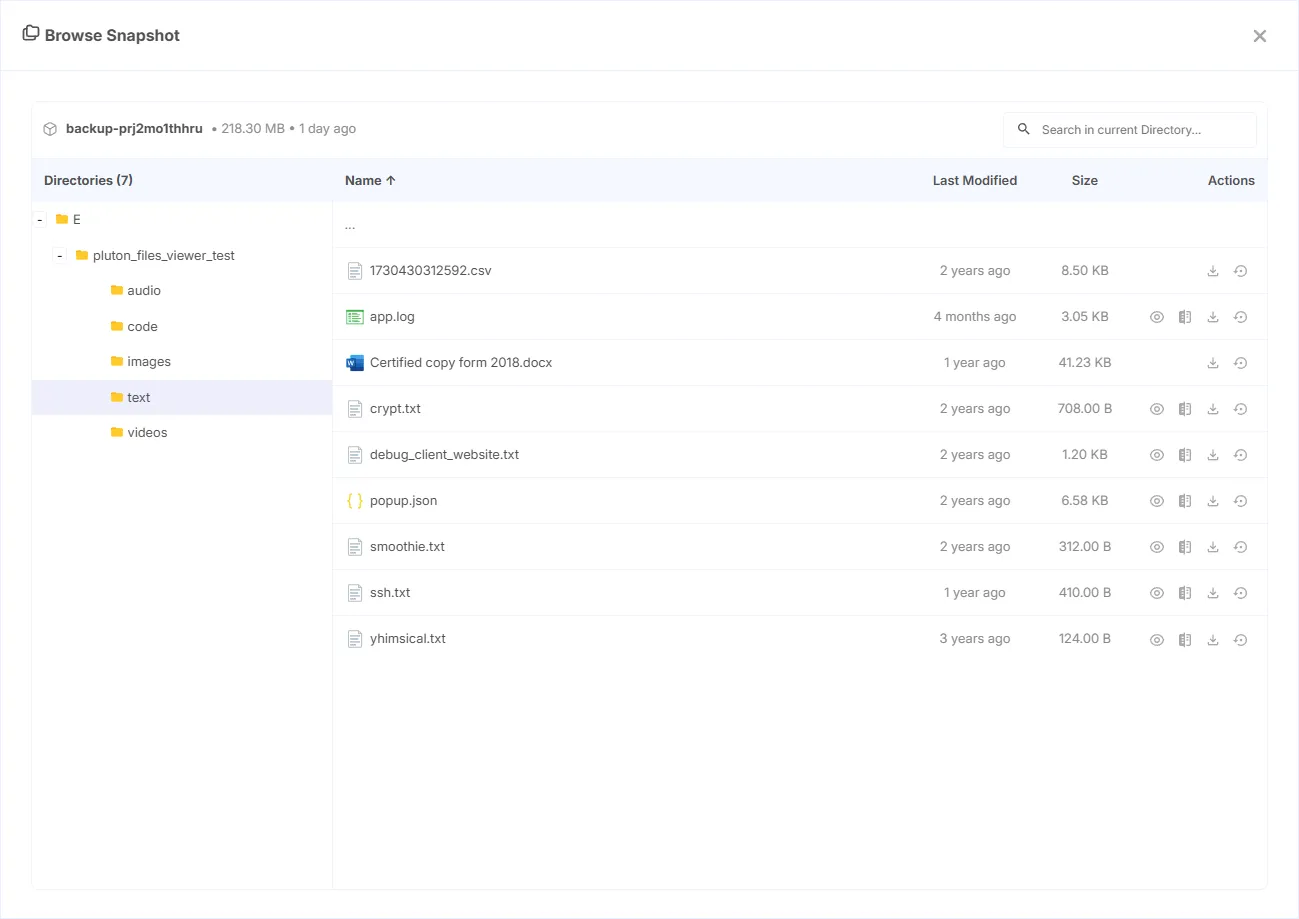
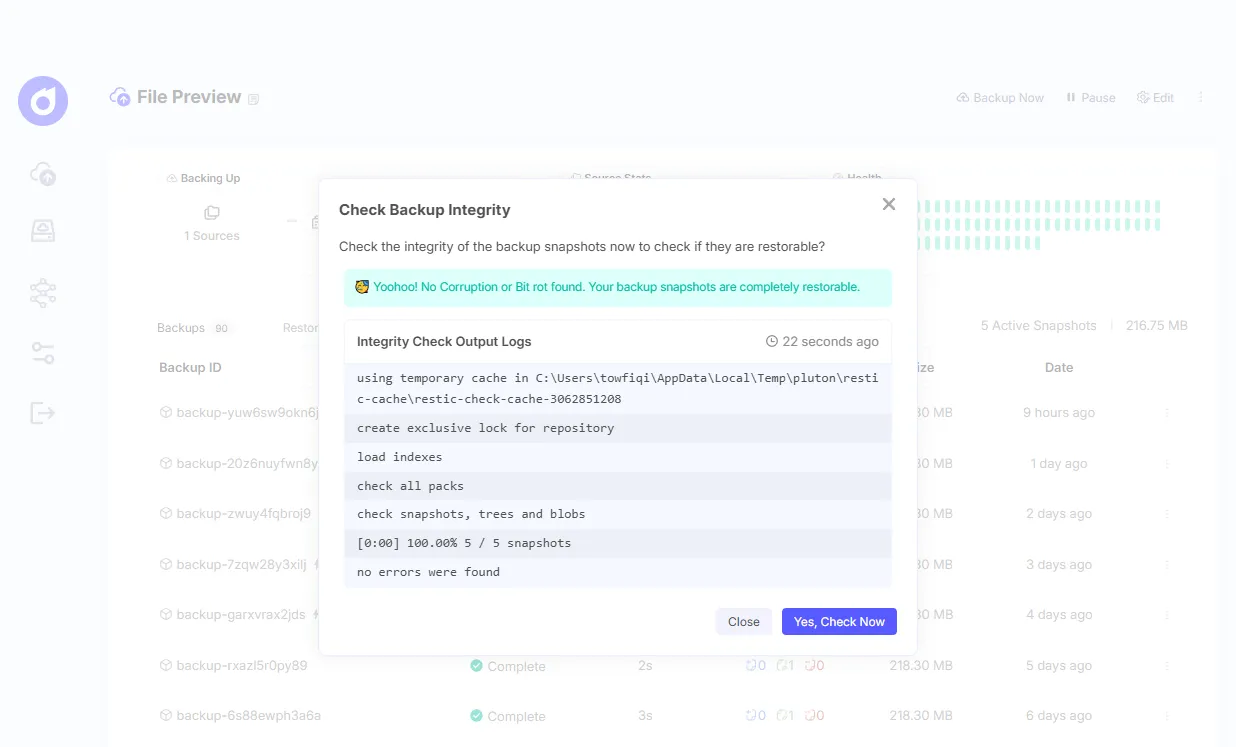
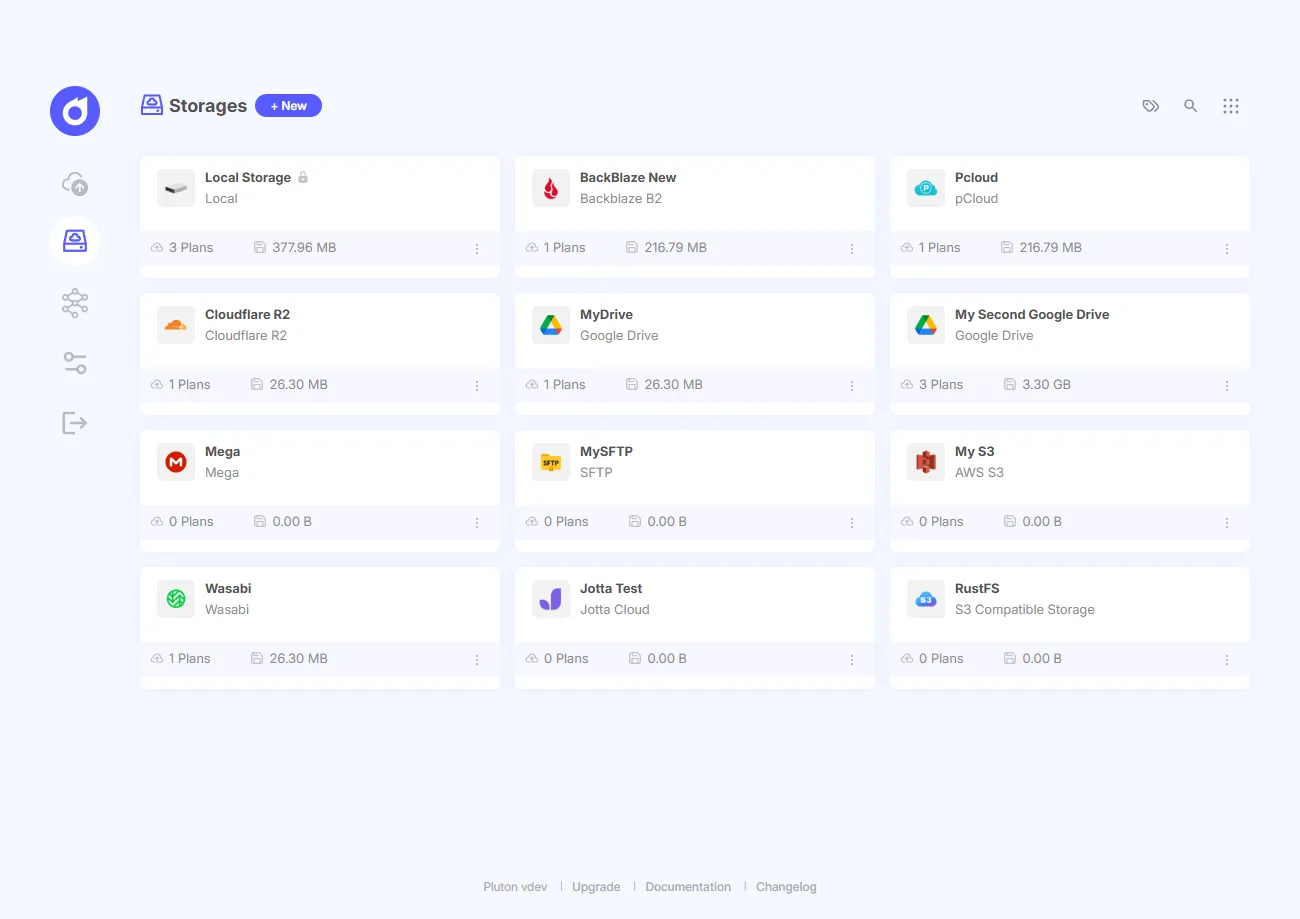
Best for: Self-hosters who want restic’s raw power, a massive list of cloud destinations, and alerts that actually work, all from a GUI.
2. restic: The Heavyweight Engine
When it comes to modern open-source engines, restic is the king. It rocks roughly 36,000 GitHub stars and natively supports 13 storage backends including S3, Backblaze B2, Azure Blob, Google Cloud Storage, and OpenStack Swift (restic documentation, 2026). Version 0.19.1 dropped in July 2026 under a BSD-2-Clause license.
It runs as a single, clean Go binary with zero runtime dependencies across Linux, macOS, Windows, and BSD. Backups are incremental, deduplicated, and encrypted client-side. Its real superpower is gravity: it’s the default engine everyone else (including us) builds on.
Best for: CLI purists who want the most adopted engine and maximum storage flexibility.
Prefer restic but hate the terminal? We broke down the options in our restic GUI tools roundup.
3. Kopia: The Engine with its Own GUI
Kopia is unique here because it’s a modern engine that officially ships a cross-platform desktop GUI right alongside its CLI. It handles 10 storage backends including S3, Azure Blob, Backblaze B2, Google Cloud Storage, WebDAV, and SFTP (Kopia documentation, 2026). It’s licensed under Apache-2.0, has around 14,100 stars, and shipped v0.23.1 in June 2026.
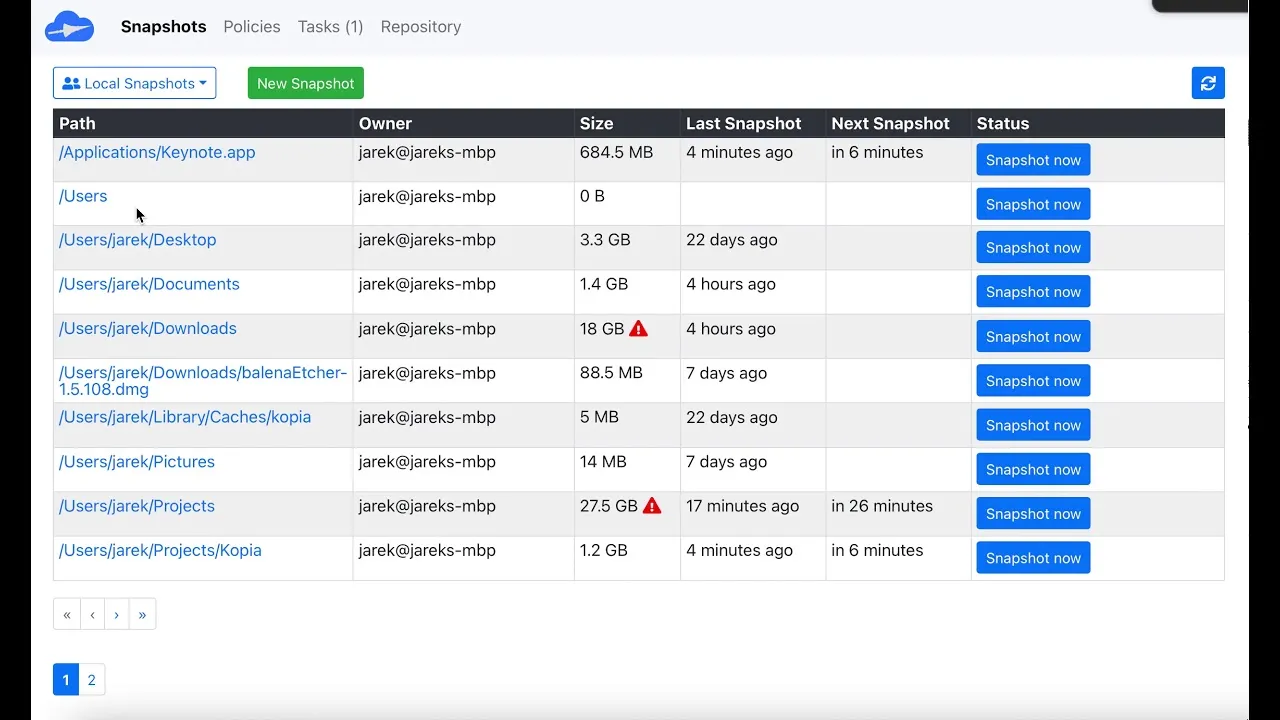
Two big highlights: Kopia packs bitrot error correction (which almost nobody else has), and its performance gets rave reviews across the board. Its Repository Server mode even lets multiple clients hit the same storage target with isolated per-user snapshots.
The catch? Kopia has been in development for years but remains pre-1.0. It also lugs around 875 open issues, making it the biggest backlog among the three modern engines, despite having fewer users than restic. The v0.23.1 release did squash a rare race condition that risked data loss, so they are actively working, but you should know what you’re stepping into.
Best for: Technical users who want blazing speeds, bitrot protection, and a built-in GUI.
4. Duplicati: The King of Consumer Cloud
Duplicati finally shook its forever-in-beta reputation when it hit 2.4.0.0 stable on September 3, 2026. The 2.x line went beta in March 2026, stable in April. It rocks an MIT license (having switched from LGPL in March 2024) and holds around 15,000 stars.
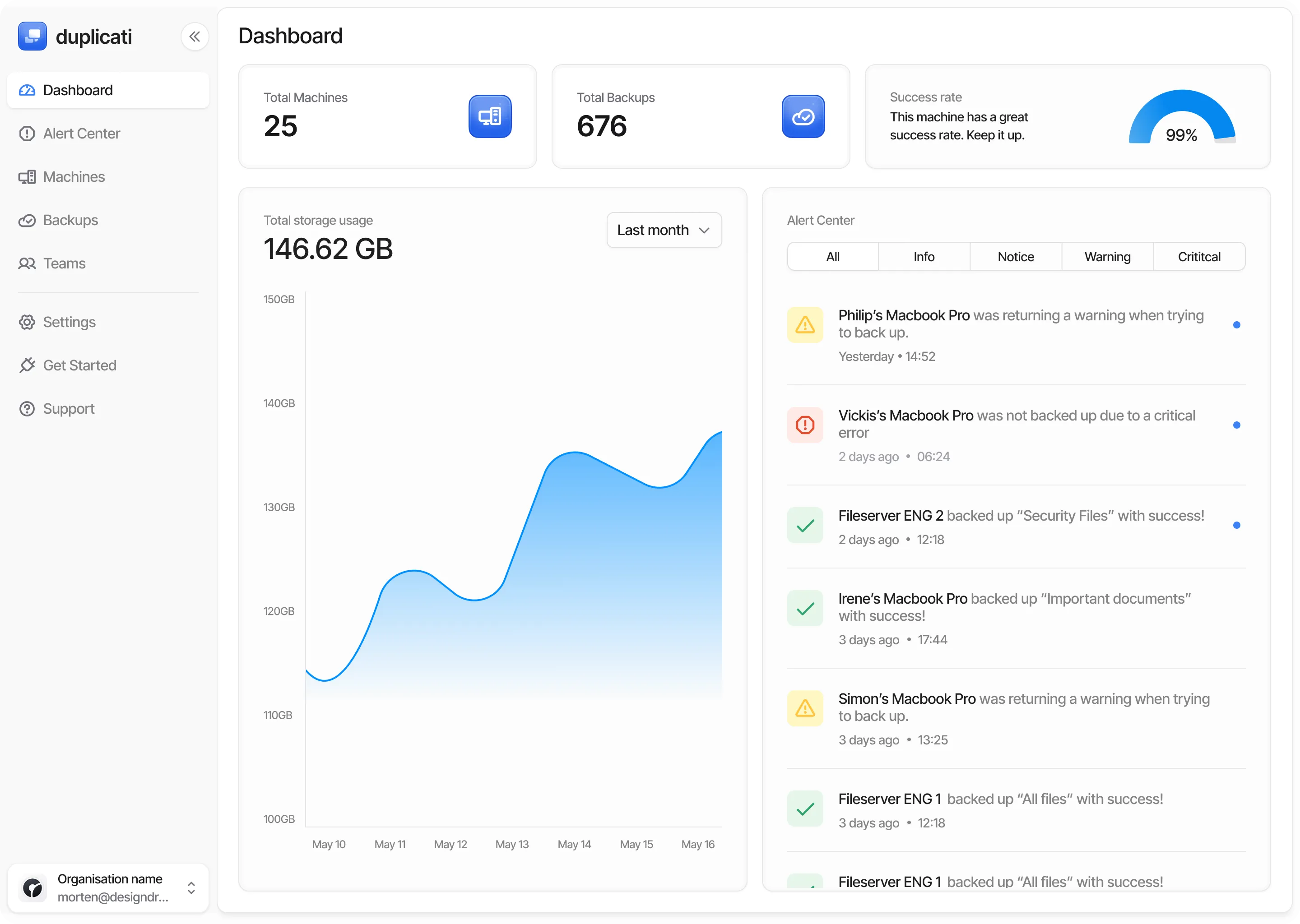
Duplicati’s web UI treats consumer clouds as first-class targets.
If you want to dump data into consumer clouds, nothing touches Duplicati: S3, Backblaze B2, Box, Dropbox, Google Drive, MEGA, Azure, OneDrive, Storj DCS, SFTP, WebDAV, and more. The 2.4.0.0 release brought a new sync copy mode, PAR2 error correction for remote volumes, and full-disk backups on macOS and Linux.
But we have to talk about its rocky history. Wikipedia documents its legacy of slow file listings and a nasty flaw where a single corrupted incremental volume could trash every subsequent backup until a full run happened (Duplicati, Wikipedia). Even in the 2.4.0.0 thread, users are reporting wiped settings and high RAM usage after upgrading. Seriously, test your restores if you upgrade.
Best for: People with huge consumer cloud accounts who want a free web GUI.
5. BorgBackup: Maximum Storage Efficiency
BorgBackup brings brutal server-side deduplication that makes it incredibly storage-efficient. Even better, it features an append-only repository mode, which is actual, functional ransomware protection rather than just marketing hype. Version 1.4.5 dropped in July 2026 under a BSD-3-Clause license, boasting around 13,700 stars.
That append-only mode is massive. If your client gets hacked, the attacker can add junk to the repository but can’t touch or delete the historical backups. Considering 56% of ransomware attacks in 2026 managed to encrypt data (up from 50% last year) (Sophos, The State of Ransomware 2026), locking down your backup history is exactly what you need.
The downsides are rigid. Borg only writes to local paths or SSH remotes because it requires a Borg process running on the receiving end. Also, the 2.x rewrite has been stuck in beta limbo forever, sitting at 2.0.0b24 as of September 2026. Oh, and it completely ignores Windows.
Best for: Mac and Linux users backing up to a local server or a Borg host, who value storage efficiency over cloud flexibility.
6. Backrest: The Clean restic Web UI
Backrest is the coolest restic UI you’ve probably never heard of. It has around 7,300 GitHub stars and hit v1.14.1 in July 2026, yet it rarely makes these lists. Created in November 2023, it’s a GPL-3.0 web UI that sits directly on restic, solving the CLI friction without messing with the underlying format.
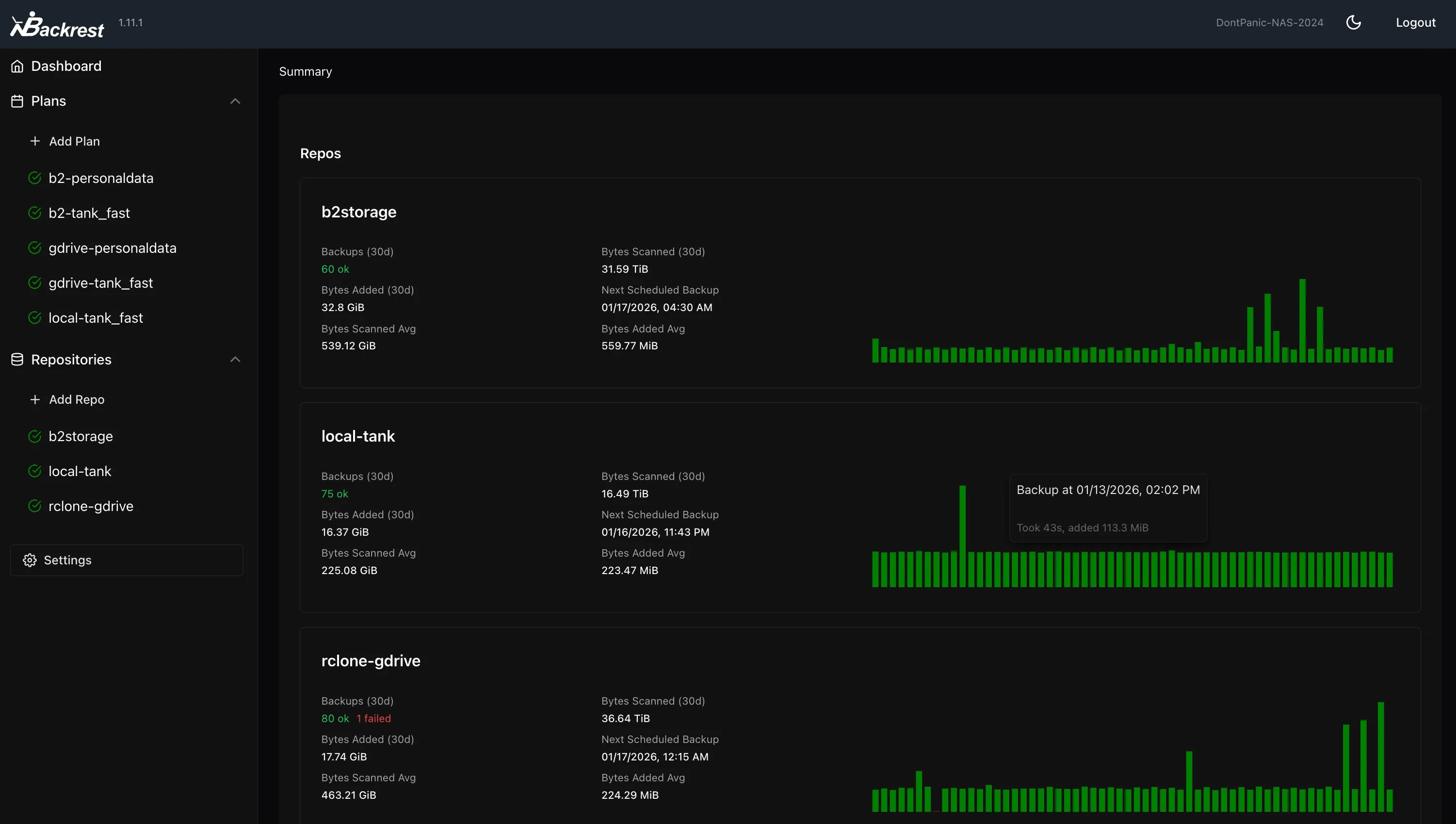
Backrest wraps the restic CLI in a single-binary web UI.
Because it just wraps the restic CLI, if Backrest dies tomorrow, you just run restic restore in your terminal and you’re fine. It ships as a single Go binary or in Docker. For a single home server or NAS, this is incredibly low-friction.
It’s ultra-minimal, which is a double-edged sword. Don’t expect fleet management, robust alerting, or bare-metal restores. It’s also quite young (mostly driven by one maintainer), and multihost sync was still considered experimental in the May 2026 v1.13.0 release. Plus, it inherently suffers from restic’s prune memory issues.
Best for: Homelab fans who want a dead-simple restic web UI on a single machine.
7. Vorta: The Desktop UI for Borg
Vorta is basically the default desktop GUI for BorgBackup. It sits at version 0.11.6 (GPL-3.0-only, around 2,500 stars) and is maintained by the BorgBase crew. The file restore experience is fantastic: Borg’s FUSE mount lets you click through archives like standard folders, making single-file restores as smooth as Apple’s Time Machine. The project is highly active, with commits stretching through September 2026.
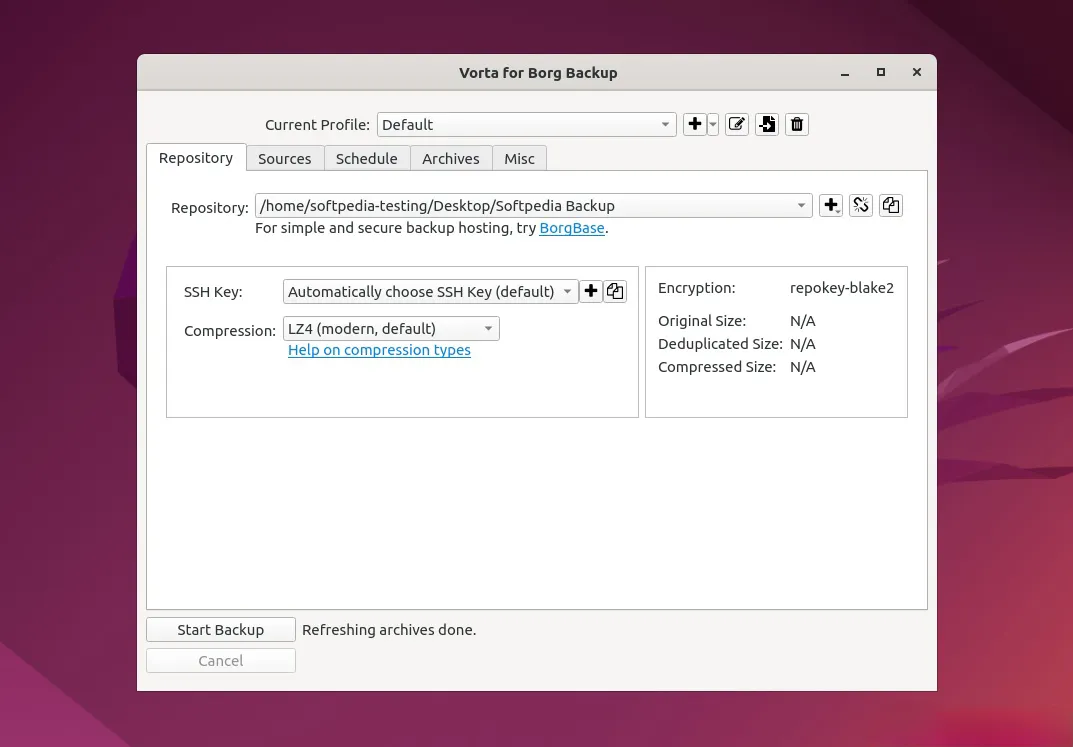
Vorta is the default desktop front end for BorgBackup.
The drawbacks are just Borg’s drawbacks. It’s hard-locked to Borg, so forget about object storage, and it’s strictly macOS and Linux only. Being a desktop app rather than a web UI makes it super clunky if you’re trying to run a headless server.
Best for: A single Mac or Linux desktop dumping backups to a Borg server.
8. UrBackup: The LAN Imaging King
UrBackup is a rare breed in the open-source world, handling both file backups and full/incremental image-level backups via a web-managed client/server model. It operates under AGPL-3.0 and has unbelievably clean project hygiene, showing just 9 open issues in its repository. If you need to image 30 Windows PCs to a local server and restore one via a bootable USB to bare metal, this is your tool.
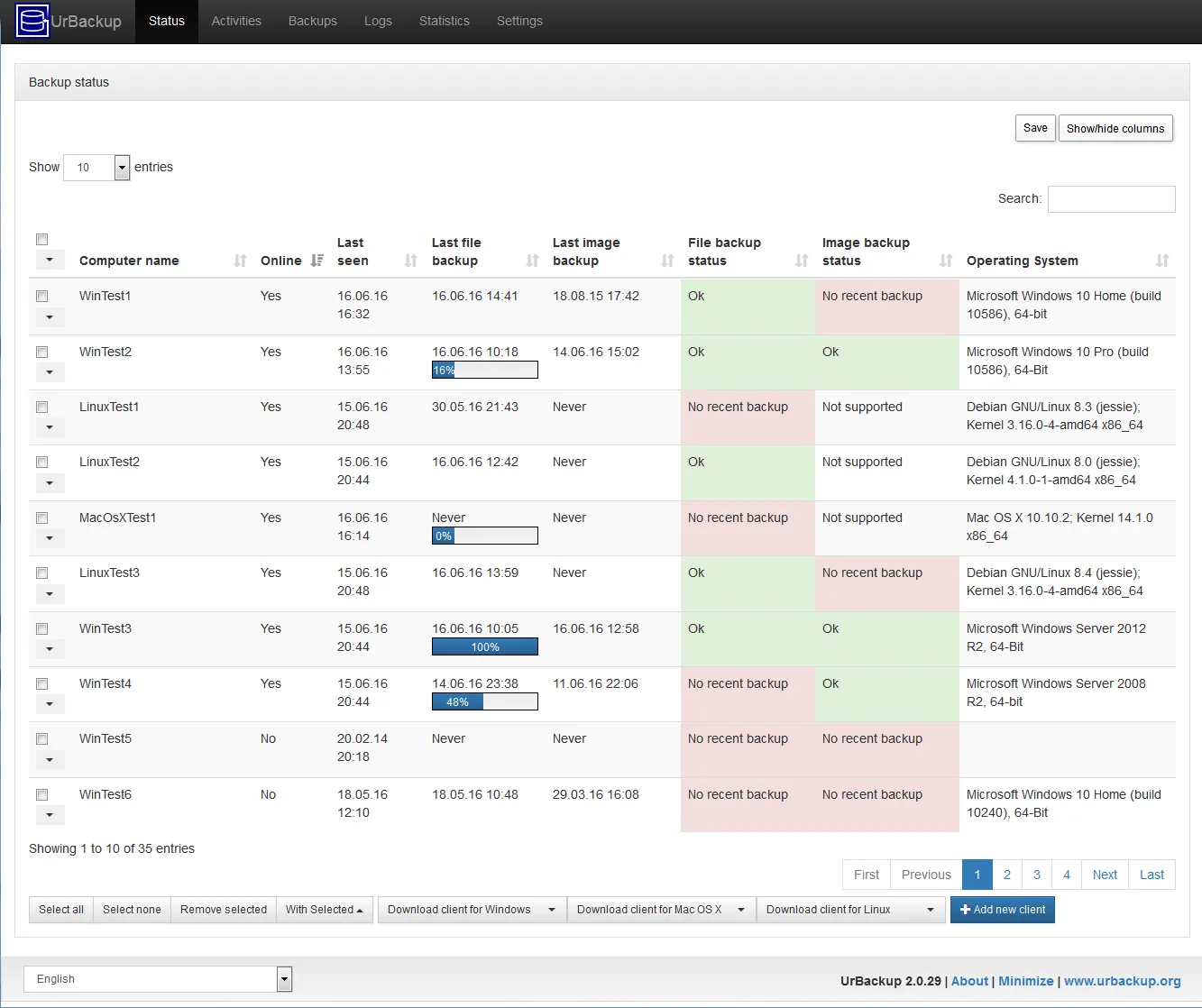
UrBackup manages image-level backups from a central server.
It’s a niche solution, though. The community sits around 900 stars, the image backups are basically Windows-only, and the whole architecture expects you to be writing to attached server disks, not object storage. Getting an encrypted offsite copy requires rigging up a secondary tool, which ruins a clean 3-2-1 strategy.
Best for: Sysadmins who need to image Windows machines across a local network.
9. Bareos: Maintained Enterprise Muscle
Bareos is a powerhouse, dropping five releases in 2026 while juggling three concurrent branches. It hit version 25.1.1 on September 3, 2026, patching a security hole in the Bareos Director (Bareos, Bareos 25.1.1 release announcement). That level of release discipline is practically unheard of in open-source backups.
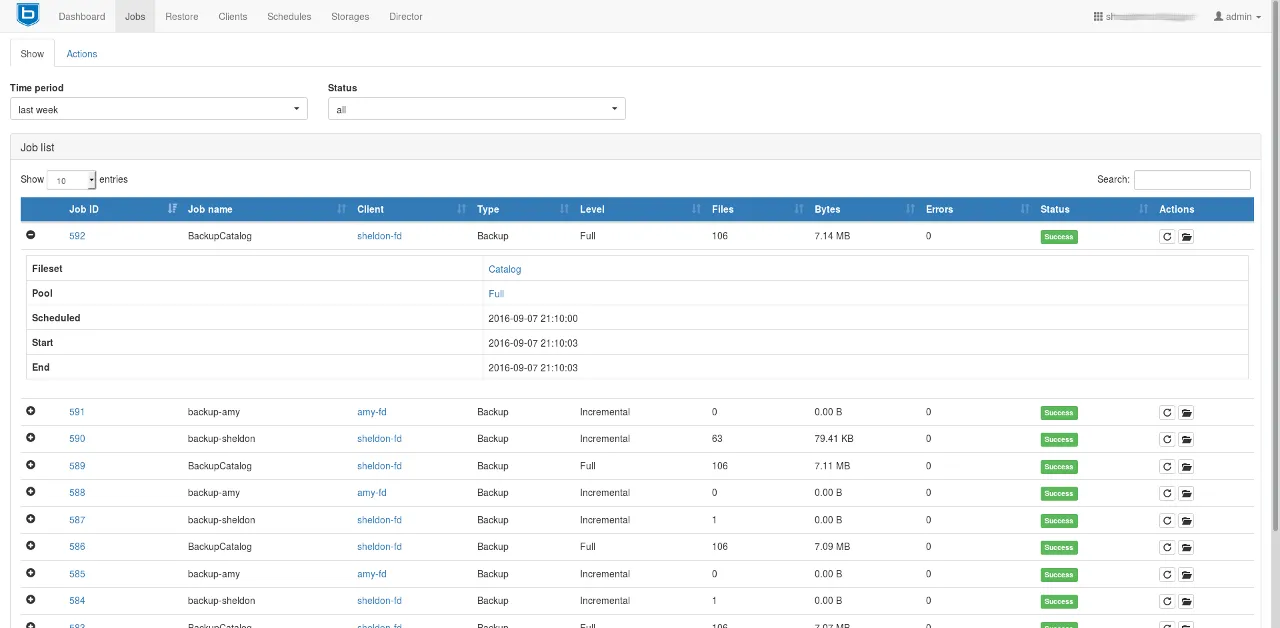
Bareos pairs a director-and-daemon core with a web UI.
It’s an AGPLv3 fork of Bacula, featuring a complex director-and-daemon setup that handles role-based access, WORM media, tape drives, and a web UI. The big win here over Bacula is that Bareos doesn’t hide its core features behind an expensive enterprise paywall.
The tradeoff? It’s complicated as hell. You have to coordinate multiple daemons before a single backup fires off, and the community is relatively small (roughly 1,250 stars). Throwing this on a standard home NAS is total overkill.
Best for: Large setups needing tape support, RBAC, and central management, assuming you have a dedicated sysadmin to baby the config.
10. Bacula: The Scalable Giant (With a Paywall)
Bacula boasts the most mature architecture in this space. By splitting operations across a director, storage daemon, and file daemon, it easily scales from a single server to hundreds of endpoints. The Community Edition is open under AGPLv3, developed on their GitLab, and has decades of enterprise miles on it.
But the catch is huge. According to Bacula Systems’ own comparison documentation, if you want hypervisor, Kubernetes, or database plugins, advanced bare-metal recovery, Global Endpoint Deduplication, or their slick BWeb console with LDAP and RBAC, you have to buy the Enterprise version. The Community edition limits you to file-based agent backups via CLI, and updates only drop every 12 to 24 months.
Honestly, put Bareos and Bacula next to each other, and Bareos just gives you way more out of the box and updates significantly faster.
Best for: Teams who absolutely require Bacula’s specific architecture and don’t mind the paywalled features.
11. rsync and rsnapshot: The Old Reliables
Let’s get this straight: rsync is a sync tool, not a backup tool. There’s no deduplication, no versioning, and no encryption at rest. If you delete a file on Monday, it gets nuked from your mirror on Tuesday. However, rsnapshot steps in to layer rotating hardlink snapshots over rsync, creating a browsable timeline of files for basically zero extra storage cost. It’s brilliant for a quick secondary local copy, sitting at 3,700 stars under GPL-2.0. Because it relies on hardlinks, it strictly requires a POSIX destination, meaning no S3.
Pro tip: Make sure your rsync is updated. Version 3.5.0, released August 13, 2026, patched 33 security vulnerabilities, including a Critical flaw affecting daemons using proxy protocol = true (rsync, 2026).
Best for: Maintaining a lightning-fast secondary local mirror alongside a proper backup tool.
The Open-Source Roundup
Here is the entire breakdown in one shot. (GitHub stars fluctuate daily, so these are September 10, 2026 numbers just to give you a vibe of community size).
| Tool | Licence | Platforms | Native object storage | Stars | Last commit |
|---|---|---|---|---|---|
| Pluton | Apache-2.0 (core; PRO closed) | Win / macOS / Linux / Docker | Yes, 70+ via rclone | n/a | Active |
| restic | BSD-2-Clause | Win / macOS / Linux / BSD | Yes, 13 backends | 36,000 | Sep 2026 |
| Kopia | Apache-2.0 | Win / macOS / Linux | Yes, 10 backends | 14,100 | Sep 2026 |
| Duplicati | MIT | Win / macOS / Linux | Yes, 28 storages | 15,000 | Sep 2026 |
| BorgBackup | BSD-3-Clause | macOS / Linux / BSD | No, local or SSH only | 13,700 | Sep 2026 |
| Backrest | GPL-3.0 | Win / macOS / Linux | Yes, via restic | 7,300 | Sep 2026 |
| Vorta | GPL-3.0-only | macOS / Linux | No, Borg targets only | 2,500 | Sep 2026 |
| UrBackup | AGPL-3.0 | Win / macOS / Linux | No, server disk | 900 | Aug 2026 |
| Bareos | AGPLv3 | Win / macOS / Linux / Unix | Yes | 1,250 | Sep 2026 |
| Bacula | AGPLv3 | Win / macOS / Linux / Unix | Partial | GitLab | See note |
| rsnapshot | GPL-2.0 | macOS / Linux / BSD | No, POSIX only | 3,700 | Aug 2026 |
Notice the “Native object storage” column. Writing straight to S3 or B2 without duct-taping a helper process together is a massive dealbreaker, and it’s the metric most other roundups bury.
So, Which One Should You Actually Use?
Ranking these 1-11 is pointless. It’s all about finding the right tool for your specific rig.
- Just backing up a single Mac/Linux box locally or over SSH? Go BorgBackup, or Vorta if you want a GUI. You won’t find better storage efficiency.
- Need to dump data into S3 or Backblaze B2? restic or Kopia. Borg and Vorta are instantly out.
- Already paying for Google Drive, OneDrive, or Dropbox and want a GUI? Duplicati is your best bet, especially now that it’s actually stable as of Sept 2026.
- Want restic but need a web interface? Backrest is great for a simple single-binary setup. If you need heavy 3-2-1 replication, solid alerts, and dozens of destinations, use Pluton.
- Imaging a fleet of Windows PCs on a LAN? UrBackup absolutely dominates this specific niche.
- Managing tape drives, dozens of endpoints, and need tight access controls? Bareos is your first stop. Only pivot to Bacula if you strictly need its specific enterprise architecture.
- Just want a super-fast secondary local copy? Run rsnapshot alongside your main backup strategy.
Picking the tool is just step one. In 2026, 66% of ransomware victims successfully restored from backups (a 12-point jump from last year) (Sophos, The State of Ransomware 2026), but again, only 28% got 100% of their data back. Don’t be a statistic. Actually test your restores.
Care more about who controls the infrastructure than the exact license? Dive into our self-hosted backup solutions guide.
Spin Up an Encrypted Backup in Under 5 Minutes
With Pluton, you can get a scheduled, fully encrypted backup rolling in about five minutes flat. No CLI commands, no mandatory accounts (Pluton Docs, 2026). It runs locally as a Docker container or a standalone executable, meaning we never see or touch your data.
The fastest way to deploy is Docker:
docker run -d \
  --name pluton \
  -p 8888:8888 \
  -v pluton_data:/data \
  plutonhq/pluton:latest
Boot up the web UI, click through the wizard, attach one of the 70+ supported destinations, and set up your plan: select the folders, pick the schedule, and hit go. Slap on a second destination and you’ve got a real 3-2-1 setup. Tie the alerts to Slack, Discord, or NTFY, and you’ll know immediately if something crashes.
There’s no paywall to start, no credit card required, and no lock-in. Everything stays as standard restic repositories.
Get the free, open-source edition of Pluton →
Heavy into Docker containers? Check our guide to backing up Docker containers and volumes.
Frequently Asked Questions
What is the best open source backup software in 2026?
It totally depends on what layer of the stack you need. If you want a managed self-hosted GUI that actually alerts you when things break, we built Pluton for exactly that. If you just want a pure CLI engine, restic owns the space with ~36,000 stars and 13 native backends. For consumer cloud integration with a GUI, Duplicati (finally stable as of Sept 2026) is your go-to.
Is restic better than Borg?
They excel at completely different things. restic can natively write to S3, Backblaze B2, and 11 other endpoints. BorgBackup is restricted to local paths or SSH, requiring hacky rclone setups to reach the cloud. However, Borg wins on raw storage efficiency and features a true append-only mode to fight ransomware. Also, Borg doesn’t run on Windows.
Is Duplicacy open source?
Nope. Duplicacy is source-available. You can use the CLI for free personally, but commercial use requires cash, and the Web Edition puts a license wall up after a 30-day trial (Duplicacy, 2026). You can read their code, but those usage restrictions mean it officially fails the open-source definition, even if other blogs lazily group it in.
Does open source backup software work on Windows?
Most do. restic, Kopia, Duplicati, Backrest, Pluton, UrBackup, Bareos, and Bacula all play nice with Windows. BorgBackup does not, which inherently means Vorta (its GUI) doesn’t either. That alone kills two major options for Windows users.
Is open source backup software safe to use?
Safety is about the mechanics, not the license. You want client-side encryption before data leaves your machine, which restic, Borg, Kopia, and Duplicati all provide (assuming the codebase is actively maintained). 66% of ransomware victims in 2026 managed to recover via backups (Sophos, The State of Ransomware 2026). Always check a project’s last commit date before handing over your data.
Final Thoughts
The smartest move you can make is figuring out which layer of the stack you’re actually shopping for. Barebones engines like restic or Borg handle the encryption and format, but they expect you to build the schedule. Management layers toss a GUI on top to handle retention and alerts. Client/server platforms centralize management across dozens of machines, assuming you have hefty server disks.
Once you pick the layer and check the storage column, your list of 11 drops down to two or three realistic options.
If you want the raw power of restic wrapped in a web UI, capable of hitting any destination, and armed with real failure alerts, Pluton’s open-source edition is free forever. Get started here, or go inspect the code on GitHub.
Sources
- Veeam, Data Trust and Resilience Report 2026, retrieved 2026-09-07, https://www.veeam.com/company/press-release/veeam-report-reveals-a-market-wide-shift-from-recovery-confidence-to-proven-data-resilience-amid-ransomware-threats-and-ai-adoption.html
- Sophos, The State of Ransomware 2026, retrieved 2026-09-07, https://www.sophos.com/en-us/blog/sophos-state-of-ransomware-2026
- OpenLogic by Perforce, 2026 State of Open Source Report key insights, retrieved 2026-09-07, https://www.openlogic.com/blog/state-of-open-source-report-key-insights
- restic, Preparing a new repository, retrieved 2026-09-07, https://restic.readthedocs.io/en/stable/030_preparing_a_new_repo.html
- restic, Issue #1723 restic prune: out of memory, retrieved 2026-09-07, https://github.com/restic/restic/issues/1723
- restic, Pull request #4354, retrieved 2026-09-07, https://github.com/restic/restic/pull/4354
- BorgBackup, Frequently asked questions, retrieved 2026-09-07, https://borgbackup.readthedocs.io/en/stable/faq.html
- BorgBackup, Authors and licence, retrieved 2026-09-07, https://borgbackup.readthedocs.io/en/stable/authors.html
- Kopia, Repositories documentation, retrieved 2026-09-07, https://kopia.io/docs/repositories/
- Kopia, GitHub repository, retrieved 2026-09-07, https://github.com/kopia/kopia
- Duplicati, Release 2.4.0.0 stable 2026-09-03, retrieved 2026-09-07, https://forum.duplicati.com/t/release-2-4-0-0-stable-2026-09-03/22653
- Duplicati, GitHub repository, retrieved 2026-09-07, https://github.com/duplicati/duplicati
- Wikipedia, Duplicati, retrieved 2026-09-07, https://en.wikipedia.org/wiki/Duplicati
- Duplicacy, Downloads and licensing, retrieved 2026-09-07, https://duplicacy.com/download.html
- Backrest, Releases, retrieved 2026-09-07, https://github.com/garethgeorge/backrest/releases
- Vorta, Releases, retrieved 2026-09-07, https://github.com/borgbase/vorta/releases
- UrBackup, GitHub repository, retrieved 2026-09-07, https://github.com/uroni/urbackup_backend
- Bareos, Bareos 25.1.1 release announcement, retrieved 2026-09-07, https://www.bareos.com/bareos-25-1-1/
- Bacula, Community releases, retrieved 2026-09-07, https://www.bacula.org/category/releases/
- Bacula Systems, Community and Enterprise comparison, retrieved 2026-09-07, https://docs.baculasystems.com/BCBEComparison/index.html
- rsync, Official site and 3.5.0 release notes, retrieved 2026-09-07, https://rsync.samba.org/
- rsnapshot, GitHub repository, retrieved 2026-09-07, https://github.com/rsnapshot/rsnapshot
- Pluton, Product overview and features, retrieved 2026-09-07, https://usepluton.com
- Pluton, Documentation, retrieved 2026-09-07, https://docs.usepluton.com