The 4 Best restic GUI Tools in 2026 (No Command Line Required)
 Towfiq I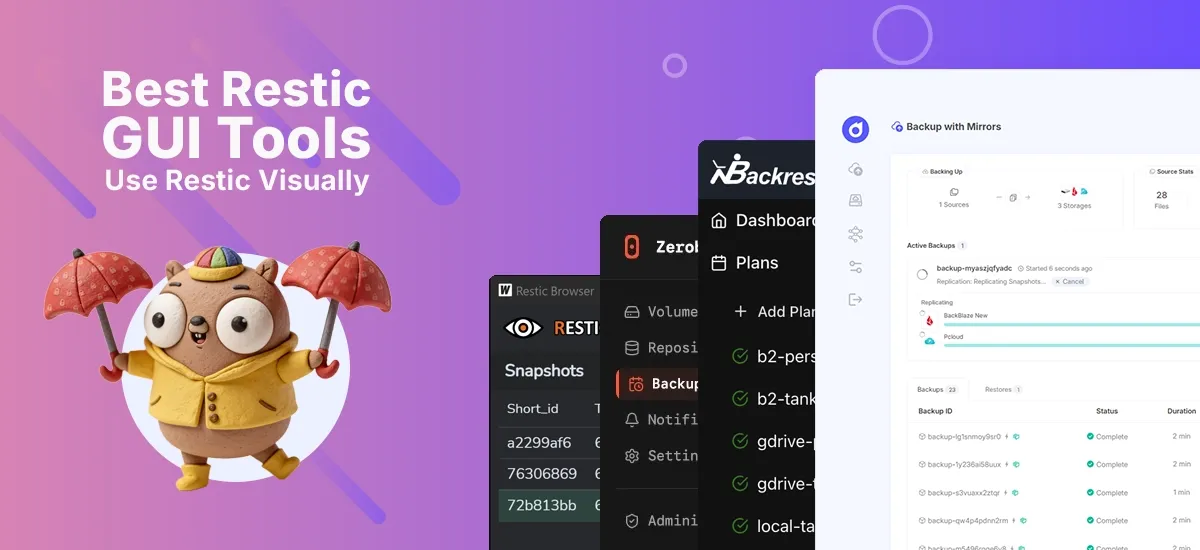
restic is one of the most trusted open-source backup engines around: it’s fast, encrypted, and deduplicated. But it’s also command-line only, and that stops a lot of people cold. A single typo in a restic command can mean a backup that silently never runs. So the obvious question is: can you get restic’s power without living in a terminal?
Yes. A restic GUI wraps the engine in a visual interface, so you can schedule jobs, browse snapshots, and restore files with a few clicks. This guide compares the four best options in 2026, and helps you pick the right one for your setup.
Key Takeaways
- A restic GUI gives you restic’s encrypted, incremental backups through a visual dashboard instead of the command line.
- Pluton is the most beginner-friendly full backup manager, connecting to 70+ storage destinations via rclone with built-in failure alerts (Pluton, 2026).
- Backrest (~6,600 GitHub stars) is the lightweight single-binary favorite; Zerobyte is a newer Docker-first option; Restic Browser only views and restores, so it can’t create backups.
- Match the tool to your need: full automation, a quick dashboard, or a one-off file recovery.
What Is a restic GUI and Why Use One?
A restic GUI is a graphical front end that drives the restic backup engine for you. As of 2026, restic remains a go-to choice for self-hosters because it encrypts data on your own device before upload and only stores what changed. A GUI adds the parts restic leaves out: a scheduler, visual snapshot browsing, retention controls, and (this is the critical one) notifications when a job fails.
Why does that last point matter so much? Because the single most common self-hosting horror story is a cron-driven backup that broke months ago and nobody noticed. A good GUI turns that silent risk into a visible one.
The 4 Best restic GUI Tools in 2026 (At a Glance)
Here’s how the four tools compare before we dig into each one.
| Tool | Type | License | Creates backups? | Interface | Deployment |
|---|---|---|---|---|---|
| Pluton | Full backup manager | Apache-2.0 | Yes | Web UI | Docker or native app (Win/macOS/Linux) |
| Backrest | Full backup manager | GPL-3.0 | Yes | Web UI | Single Go binary or Docker |
| Zerobyte | Full backup manager | AGPL-3.0 | Yes | Web UI | Docker only |
| Restic Browser | Viewer / restore only | MIT | No | Desktop app | Native installer |
Notice the split: three of these run backups, but Restic Browser only reads existing repositories. Keep that distinction in mind, because it’s the biggest reason people pick the wrong tool.
1. Pluton: The Most Polished restic GUI
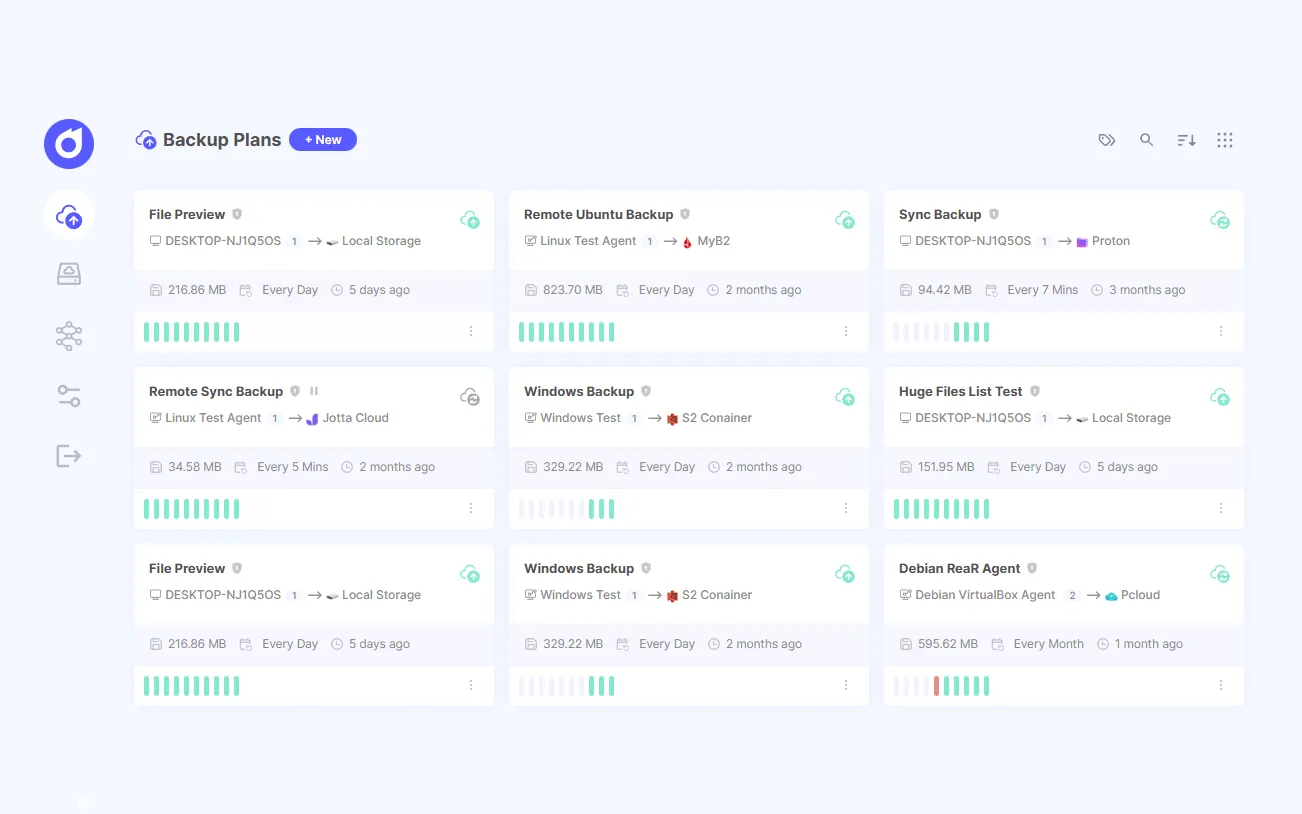
Pluton is an open-source, self-hosted backup manager built on restic and rclone, and its free Apache-2.0 edition connects to 70+ storage destinations through one clean web interface (Pluton on Github, 2026). It’s aimed at beginners and power users alike: you get a guided, point-and-click experience, with the full strength of restic and rclone underneath and no lock-in.
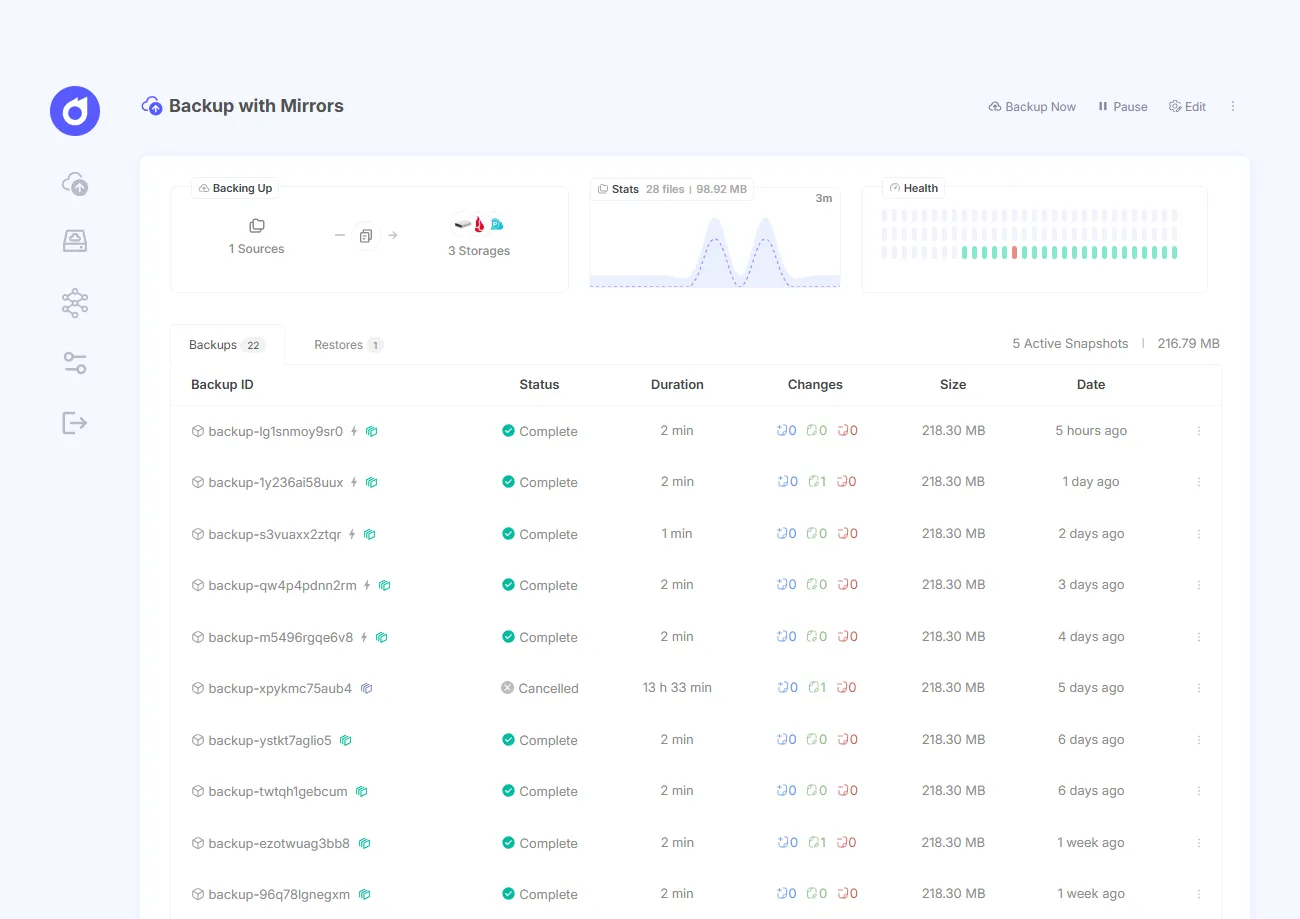
What makes it stand out among restic GUIs is the breadth packed into Pluton. You get built-in multi-storage replication for the 3-2-1 strategy, advanced snapshot retention, pre/post-backup scripts, auto-retry, two-factor authentication, and a guided restore wizard that lets you recover whole snapshots or individual files. You can even browse and download snapshots straight from the UI.
Pluton ported most of the restic funcionalities nicely into it’s intuitive web interface which makes it stand out from the bunch. If you want to use restic’s superior backup engine without being well-versed in restic ecosystem and jargons, Pluton is the clear winner.
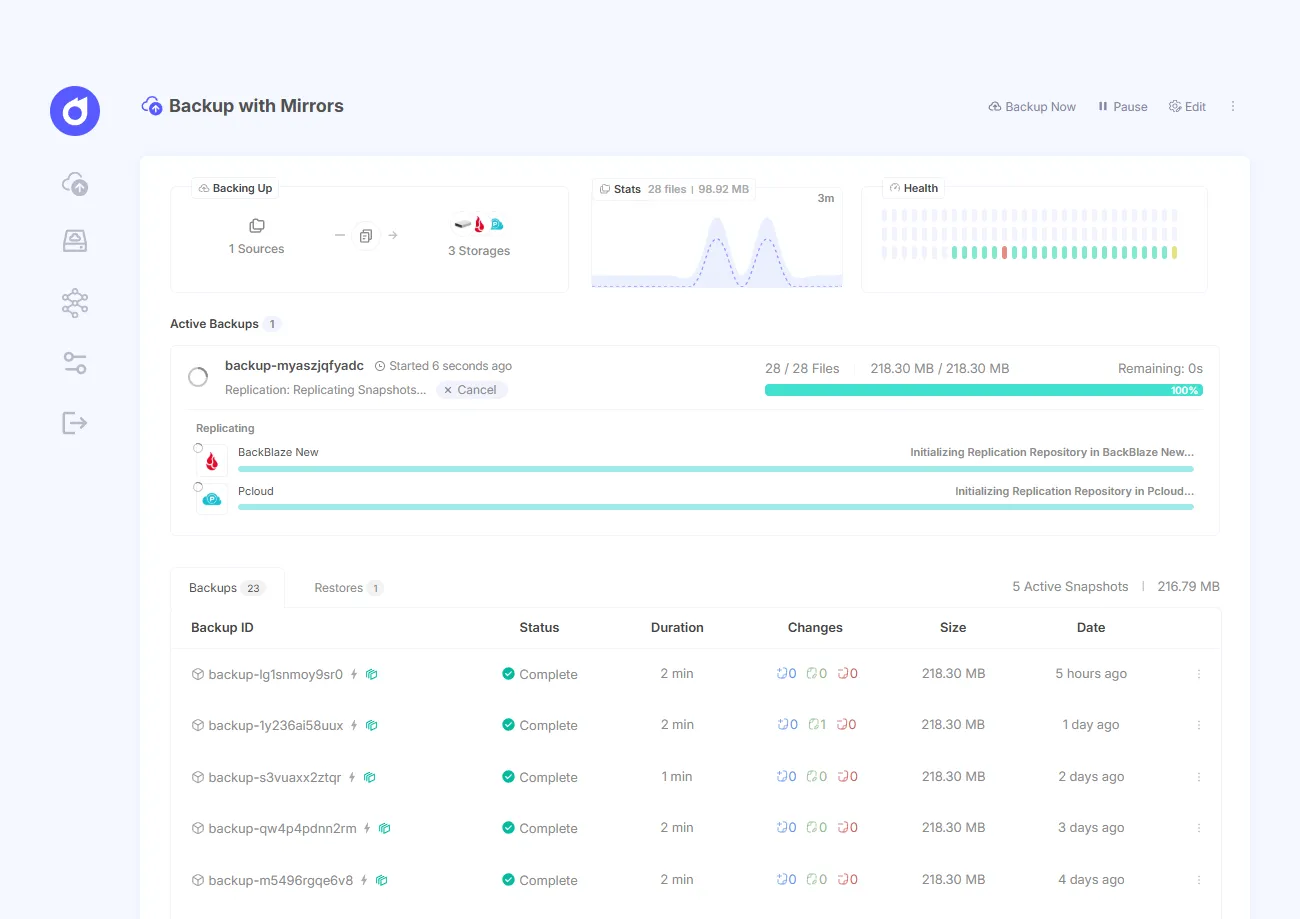
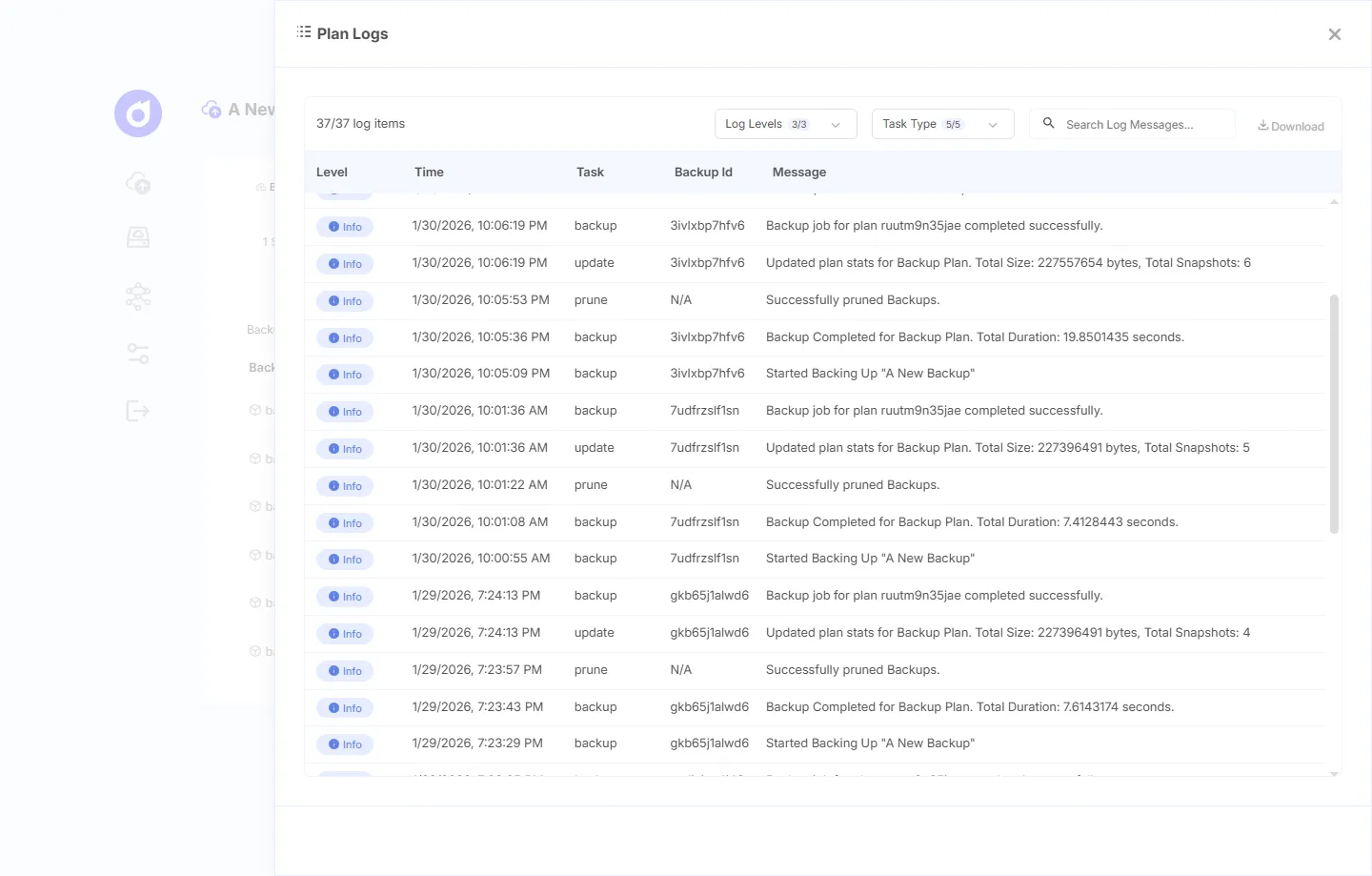
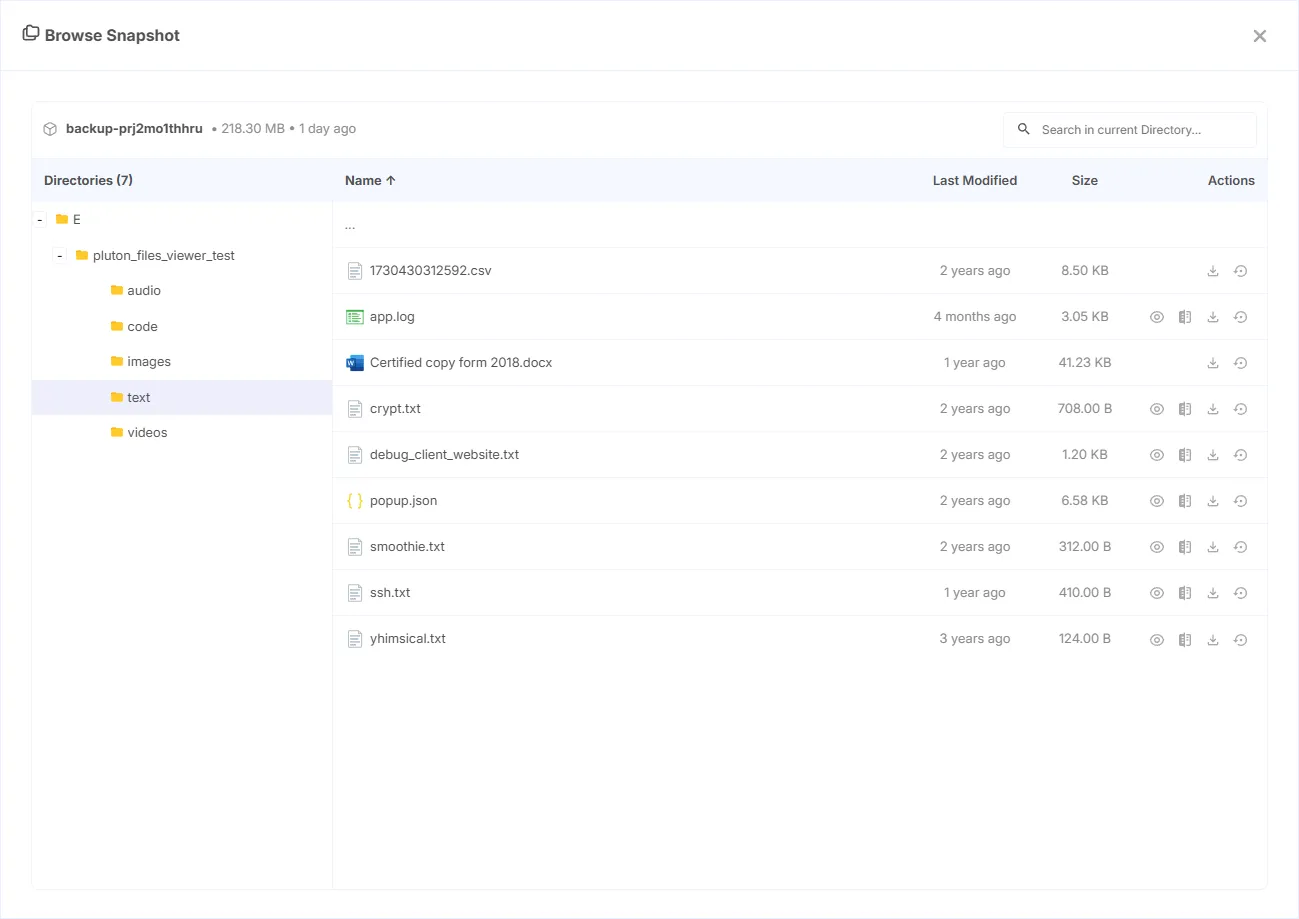
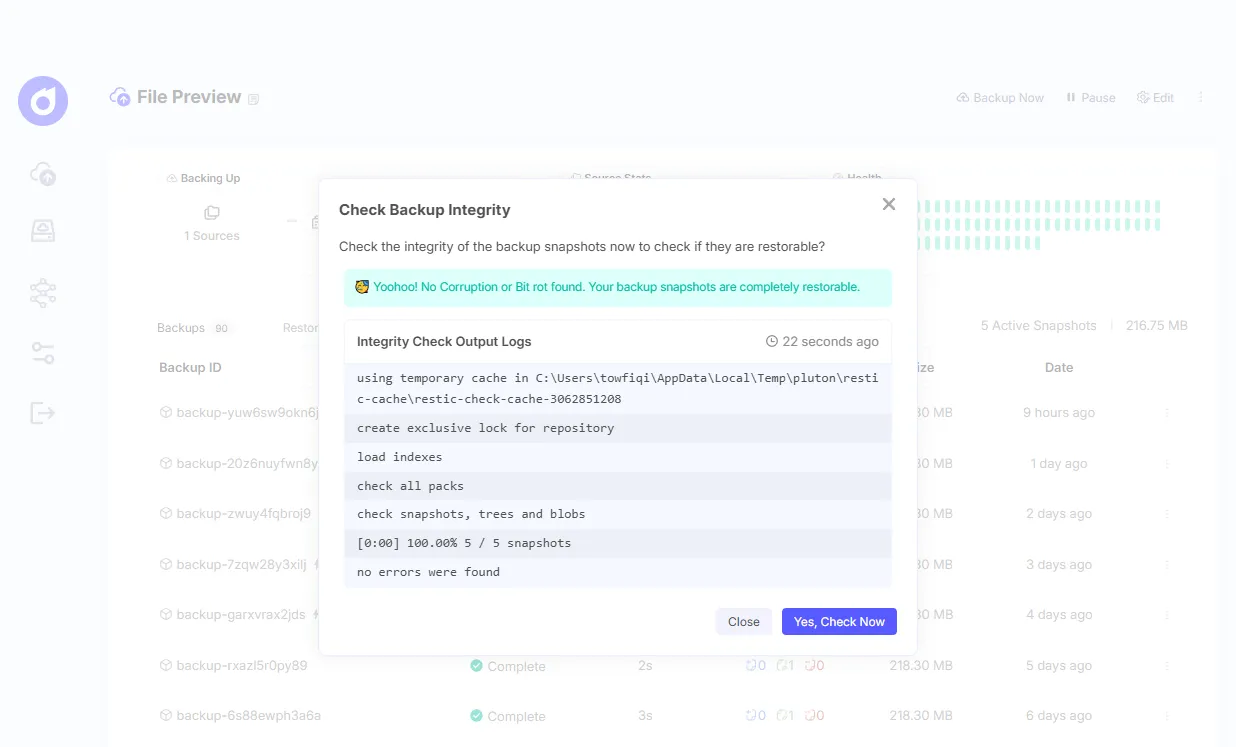
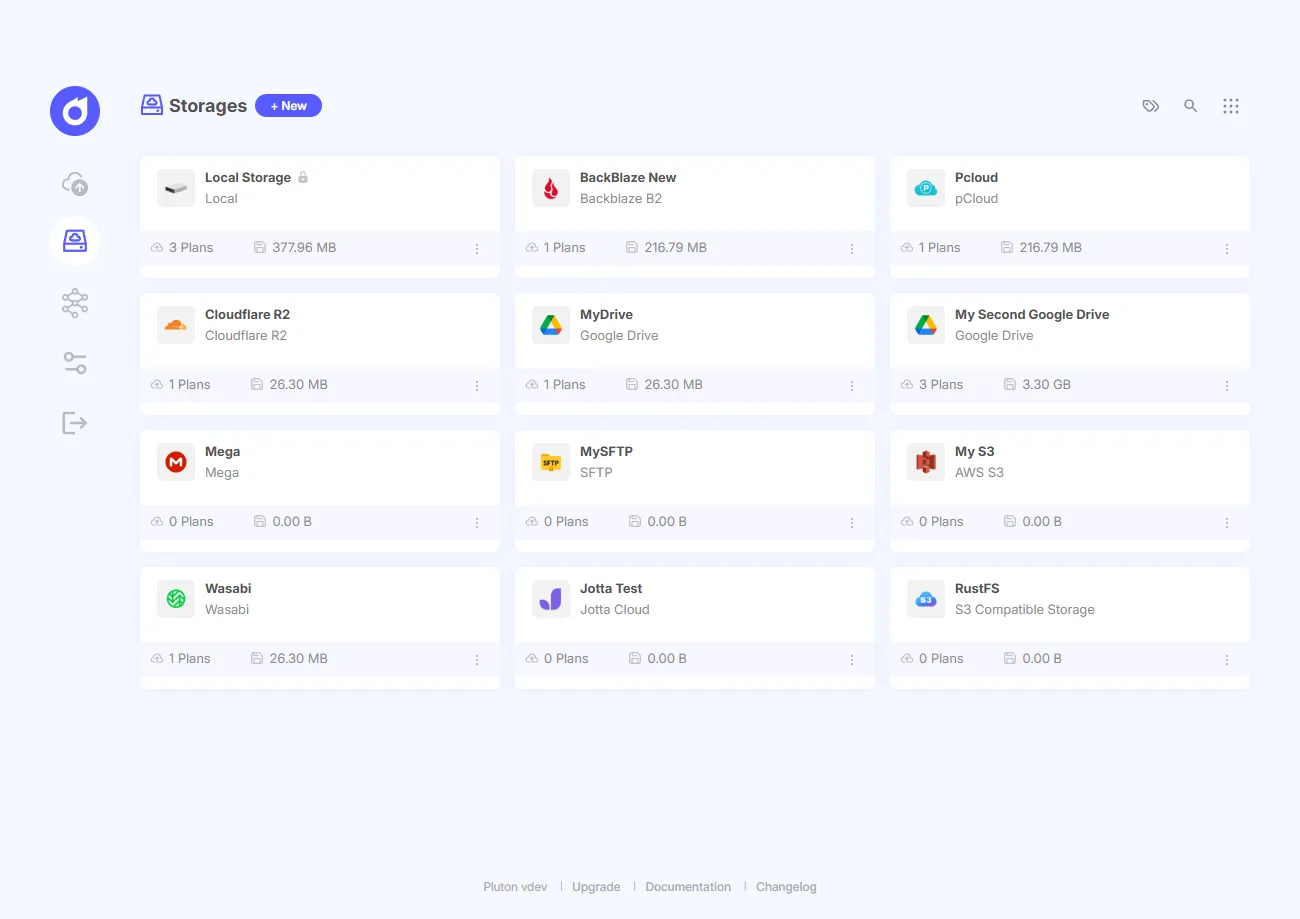
Best for: Self-hosters who want a polished web dashboard, real 3-2-1 replication, and genuine failure alerts, all without touching the command line interface.
2. Backrest: The Lightweight Single-Binary Option
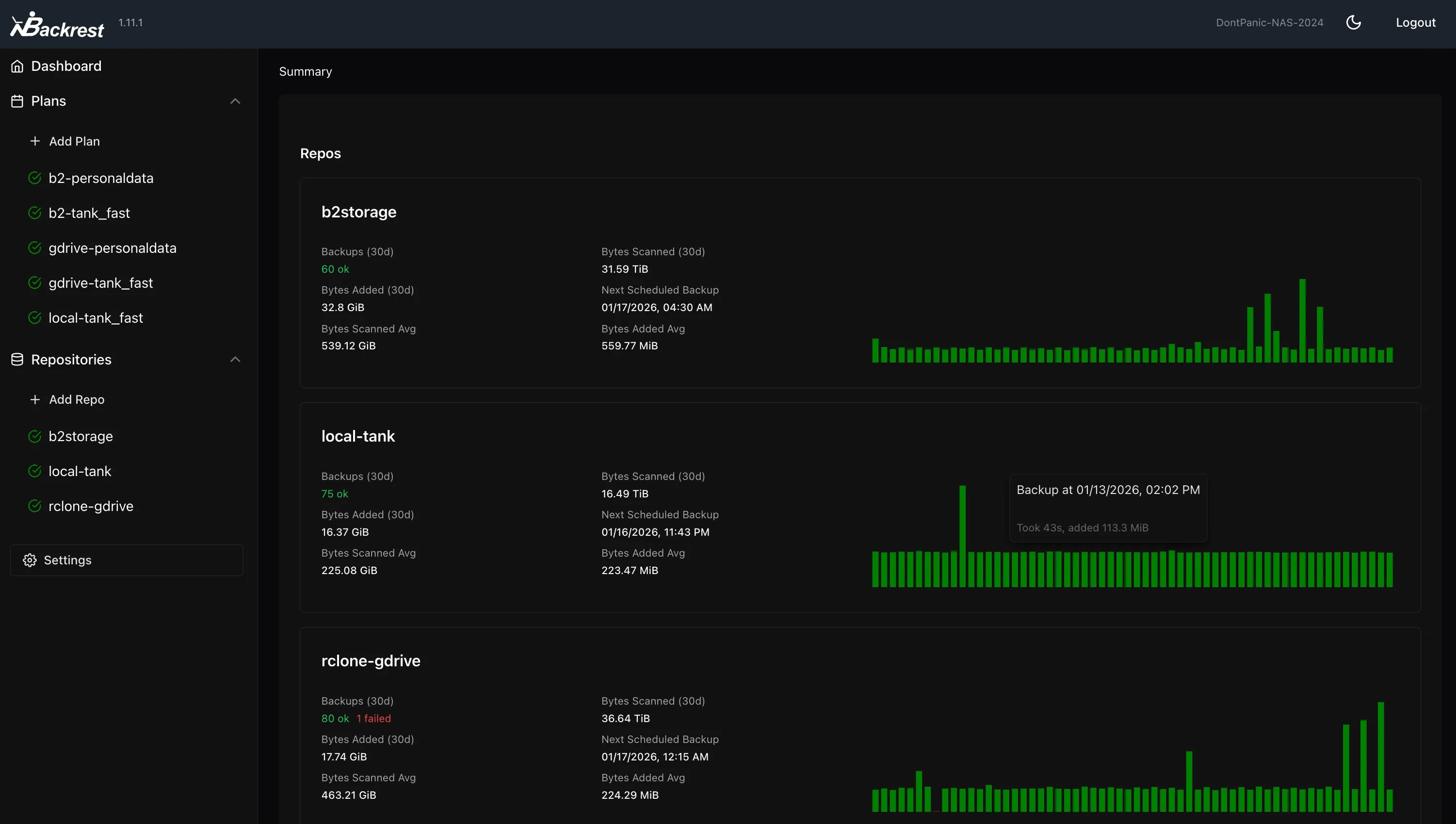
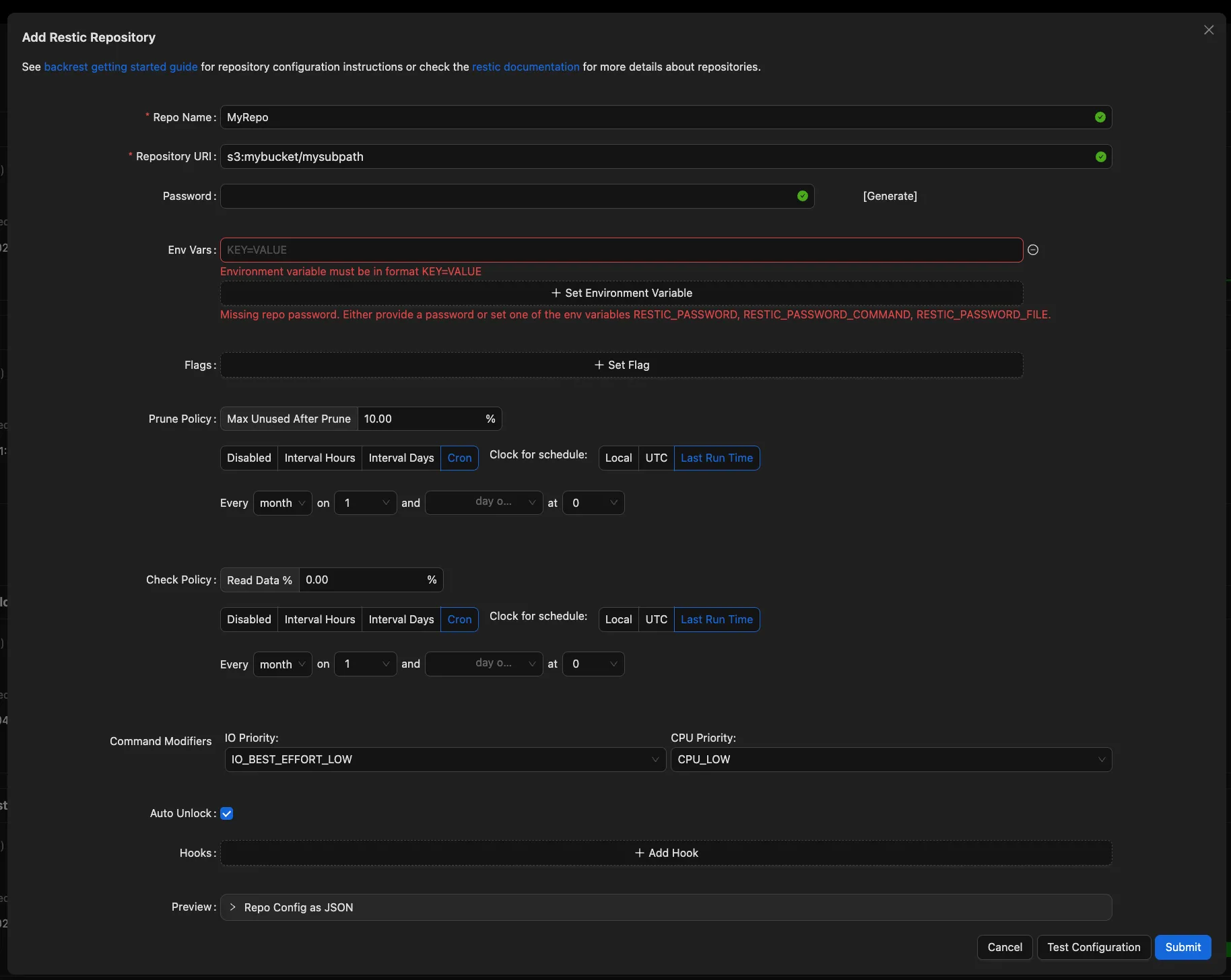
Backrest is a free, GPLv3 web UI and orchestrator for restic, and with roughly 6,600 GitHub stars as of 2026 it’s the most popular restic GUI in this roundup (Backrest on GitHub, 2026). It ships as a single self-contained Go binary whose only dependency is restic itself, which makes it a homelab favorite.
Backrest handles the full job: cron-scheduled backups, prune/check/forget maintenance, snapshot browsing, and restore, all from a browser. It supports every restic backend plus rclone remotes, and it has a solid notification stack through Shoutrrr, Discord, Slack, Gotify, and Healthchecks. It even runs on FreeBSD, which few competitors bother with.
The trade-off? It’s deliberately minimal and utilitarian. There’s no guided multi-storage replication wizard, and the interface leans more “functional dashboard” than “polished product.” For many homelabbers, that’s exactly the appeal.
Best for: Tinkerers who want the simplest, lightest possible restic web UI as a single binary.
3. Zerobyte: A Modern, Multi-User restic Dashboard
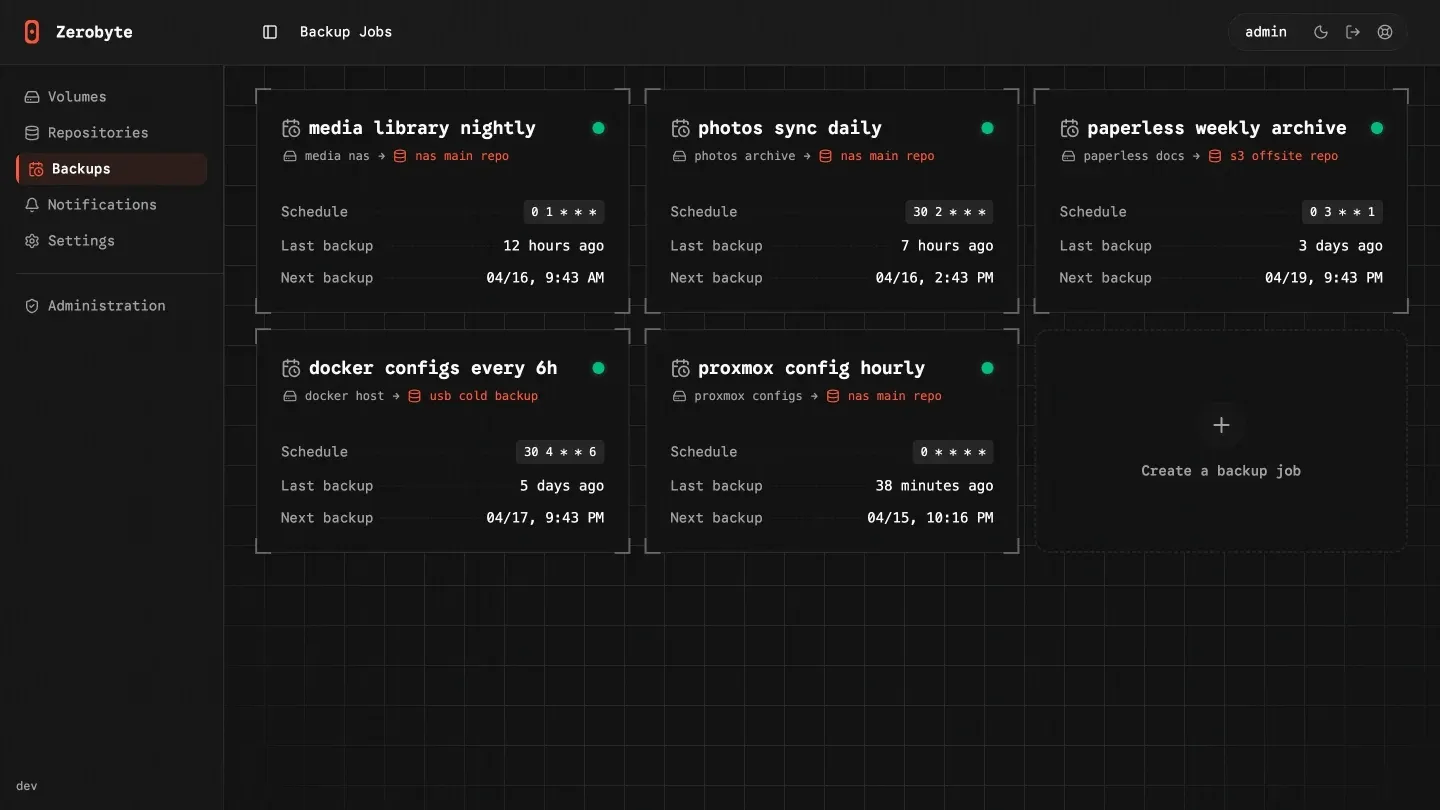
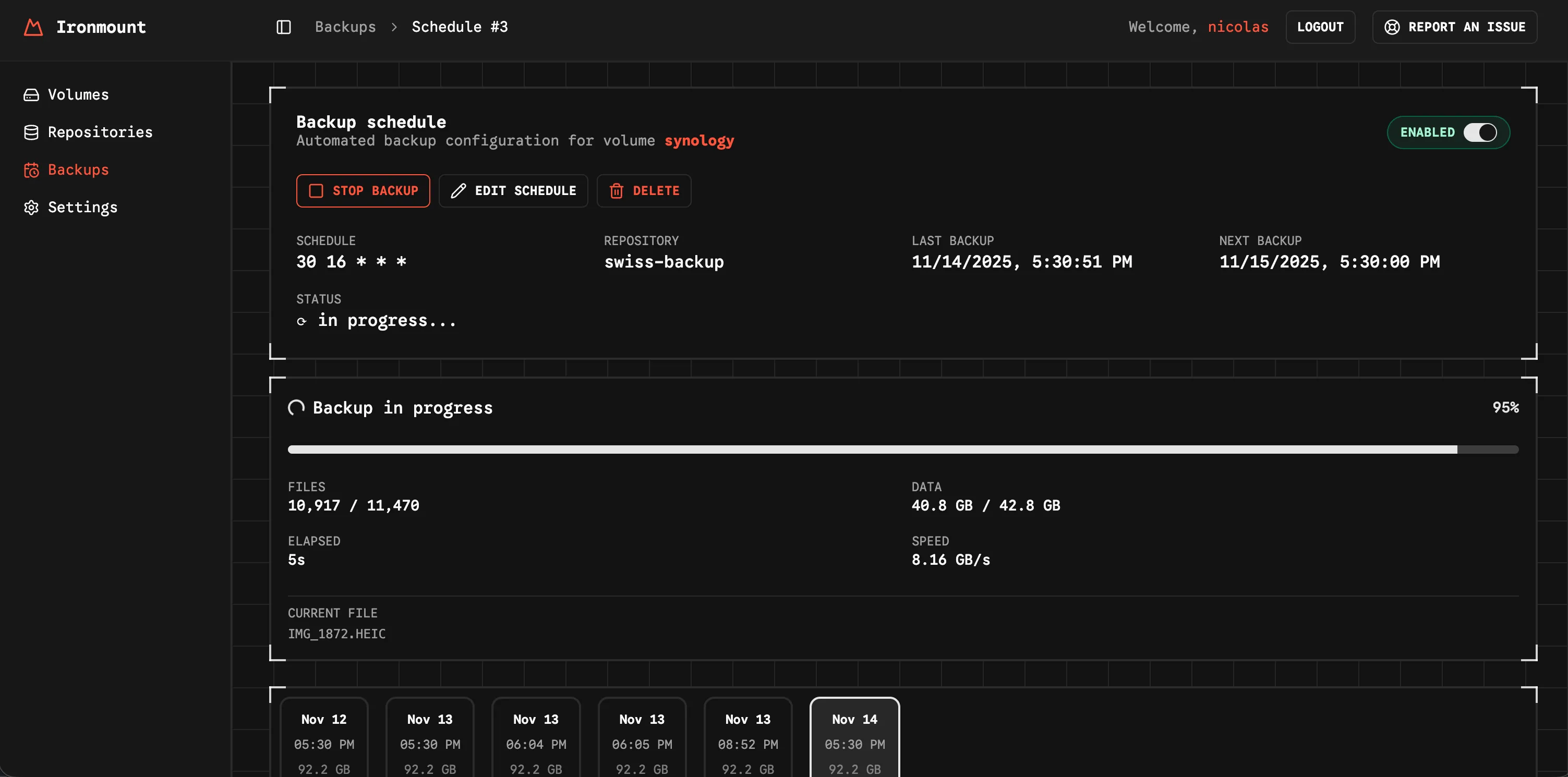
Zerobyte is a newer self-hosted backup tool built on restic, and despite launching only in August 2025, it has already gathered around 6,500 GitHub stars (Zerobyte on GitHub, 2026). It pairs a modern web UI with multi-user and organization management, which makes it feel more team-oriented than most single-user GUIs.
Under the hood it offers scheduled jobs with fine-grained retention, end-to-end encryption and compression via restic, and broad source-protocol support: NFS, SMB, WebDAV, SFTP, and local directories. For storage targets it covers local, S3-compatible providers, Google Cloud, Azure Blob, and 40+ more via rclone. Webhooks handle pre- and post-backup automation.
There are caveats, though. Zerobyte is still pre-1.0 and its README warns of breaking changes, so it’s the least battle-tested here. It’s also Docker-only, with no single binary or native desktop build, and its AGPL-3.0 license is stricter than the others, which may matter if you ever host it as a service. And if you are not knowledgable with linux or not a technical person, it can slow you down as few features require you make OS config changes like Zerobyte’s volumes, and manually install and maintain rclone to use rclone storages.
Best for: Self-hosters comfortable with Docker who want a sleek, modern dashboard with multi-user support.
4. Restic Browser: A Simple Viewer for Restoring Files
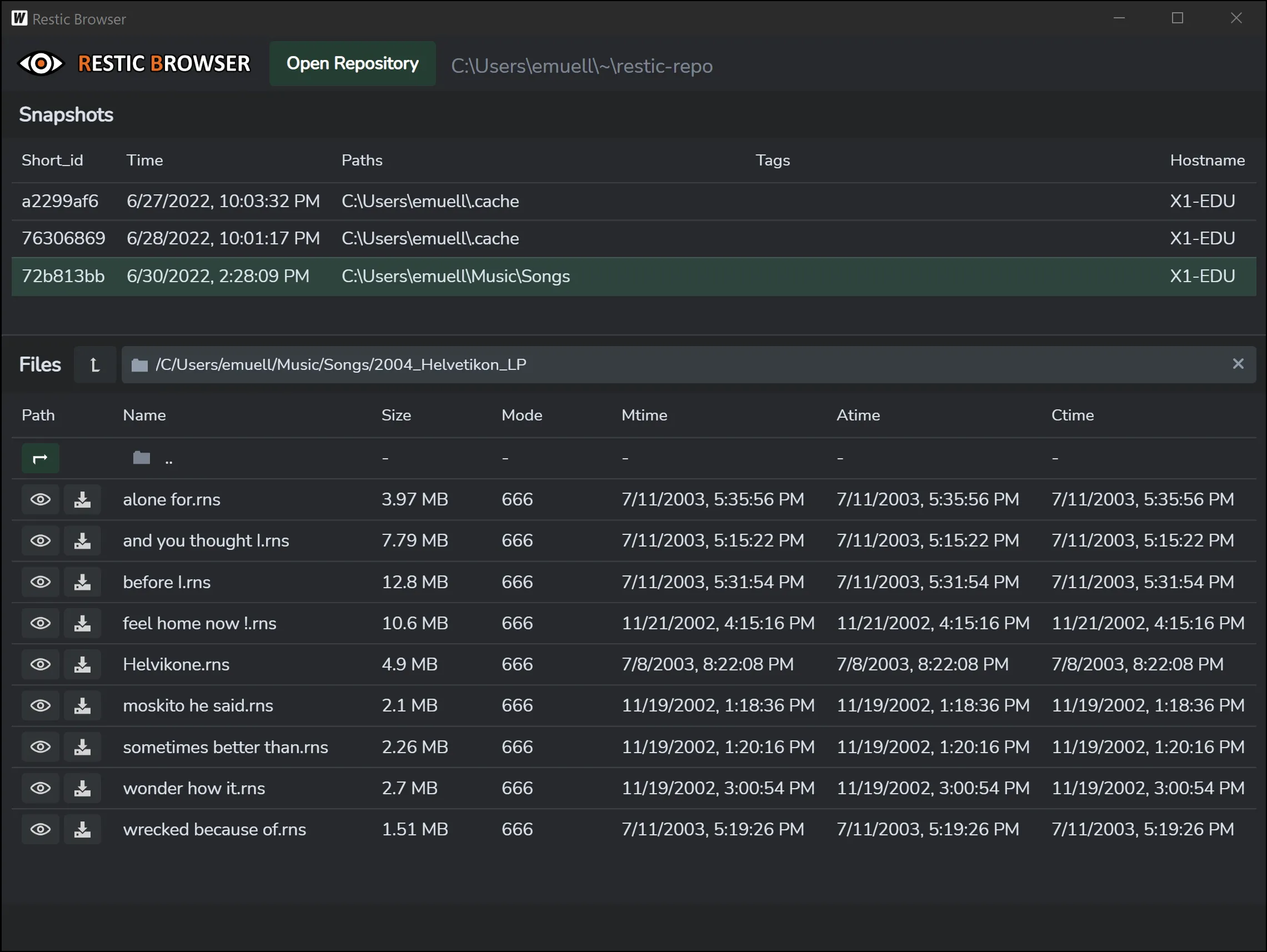
Restic Browser is the odd one out, and it’s important to understand why: it’s a read-only desktop app for browsing and restoring existing restic repositories, and it does not create or schedule backups (Restic Browser on GitHub, 2026). The MIT-licensed project (~1,200 GitHub stars) makes this limitation explicit in its own README.
So what’s it good for? It’s a fast, lightweight way to recover files when you already have a restic repo and just need to pull something back without touching the command line. Built with Tauri, it runs as a native app on Windows, macOS, and Linux. You can view snapshots, browse file contents, restore folders, and dump selections as a zip.
Think of it as a complement, not a competitor. You’d still need restic (or a tool like Pluton) to make the backups. Restic Browser just helps you get data back out.
Best for: Anyone who needs a dead-simple, occasional file-restore tool for an existing repository.
restic GUI Feature Comparison
Here’s a deeper, feature-by-feature look at how the four restic GUI tools line up in 2026.
| Feature | Pluton | Backrest | Zerobyte | Restic Browser |
|---|---|---|---|---|
| Creates & schedules backups | ✔ | ✔ | ✔ | ❌ |
| Web interface | ✔ | ✔ | ✔ | ❌ (desktop app) |
| Native desktop | ✔ | ❌ | ❌ | ✔ |
| Docker deployment | ✔ | ✔ | ✔ | ❌ |
| Storage destinations | 70+ via rclone | restic backends + rclone | S3, GCS, Azure + 40+ via rclone | Reads existing repo |
| Built-in 3-2-1 multi-storage replication | ✔ | ❌ | Manual (multi-repo) | ❌ |
| Snapshot retention rules | ✔ | ✔ | ✔ | ❌ |
| Notification channels | Email, Slack, Discord, NTFY, webhooks | Discord, Slack, Gotify, Healthchecks, Shoutrrr | Email, Slack, Discord, NTFY, Telegram, webhooks | None |
| Guided restore wizard | ✔ | ✔ | ✔ | ✔ |
| File browsing | ✔ | ✔ | ✔ | ✔ |
| Snapshot download as archive | ✔ (TAR) | ✔ | ✔ | ✔ (zip) |
| Multi-user / organization management | ❌ | ❌ | ✔ | ❌ |
| Two-factor authentication | ✔ | ❌ | ✔ | ❌ |
| Pre/post-backup scripts | ✔ | ✔ | ✔ (webhooks) | ❌ |
| Cli-free Usage | ✔ | ❌ | ❌ | ✔ |
| License | Apache-2.0 | GPL-3.0 | AGPL-3.0 | MIT |
A few cells stand out. Pluton is the only tool here that bundles 70+ rclone destinations, built-in 3-2-1 replication, multi-channel alerts, and 2FA in its free edition. Zerobyte leads on multi-user management, Backrest wins on a single-binary deploy and a longer track record, and Restic Browser deliberately skips backup creation altogether.
How Do You Choose the Right restic GUI?
The right restic GUI depends on one question: do you need to run backups or just restore them? If it’s restore-only, Restic Browser is the quickest path. For everything else, you want a full manager, and three of these four qualify (Pluton, 2026).
From there, it comes down to fit. Pick Pluton if you want the most approachable web UI, 70+ storage destinations, built-in 3-2-1 replication, and real failure alerts in the free tier. Pick Backrest if you love a lightweight single binary and don’t mind a utilitarian interface. Pick Zerobyte if you’re Docker-native and want a modern multi-user dashboard, and you’re comfortable on a fast-moving pre-1.0 project.
For a broader view beyond restic-based tools, see our best open-source backup software roundup.
How to Set Up Your First restic Backup with Pluton
You can get a working, encrypted restic backup running with Pluton in under five minutes, with no command line required (Pluton Docs, 2026). Because Pluton runs on Docker or as a standalone executable, you control exactly where it lives, and your data never passes through a Pluton-operated server.
The fastest route is Docker. You can easily run Pluton with a simple docker compose file:
services:
  pluton:
    image: plutonhq/pluton:latest
    container_name: pluton-backup
    restart: unless-stopped
    ports:
      - "5173:5173"
    volumes:
      - pluton-data:/data
      # Give Pluton read-only access to all Docker volumes:
      - /var/lib/docker/volumes:/mnt/docker-volumes:ro
    environment:
      ENCRYPTION_KEY: ${ENCRYPTION_KEY}
      USER_NAME: ${USER_NAME}
      USER_PASSWORD: ${USER_PASSWORD}

volumes:
  pluton-data:
Then open the web UI, finish the setup wizard (admin login and encryption key), connect one of the 70+ supported storage destinations, and create a backup plan: pick your folders, set a schedule, choose where it goes. From there Pluton runs incremental jobs automatically and pings you the moment anything needs attention.
Want the full picture? Grab the open-source edition from GitHub, and spin up Pluton to backup your content within minutes.
Frequently Asked Questions
Is there an official GUI for restic?
No, restic itself is command-line only and ships no official GUI. Third-party tools fill that gap. As of 2026, the most capable free options are Pluton, Backrest, and Zerobyte for running backups, plus Restic Browser for restoring files from an existing repository.
Can I use a restic GUI on Windows?
Yes. Pluton runs on Windows via Docker or a standalone executable, Backrest provides a Windows binary, and Restic Browser ships a native Windows installer. Zerobyte is the exception: it’s Docker-only, so on Windows you’d run it through Docker Desktop rather than natively.
Are these restic GUIs free and open source?
Mostly yes. Pluton’s core edition is Apache-2.0, Backrest is GPLv3, Restic Browser is MIT, and Zerobyte is AGPL-3.0, and all of them are free to use. Licenses differ in how permissive they are, so check the terms if you plan to redistribute or offer the tool as a hosted service.
What’s the difference between a restic GUI and a backup orchestrator?
A simple GUI like Restic Browser only views and restores existing snapshots. An orchestrator like Pluton, Backrest, or Zerobyte does the full job: scheduling, running, retaining, and monitoring backups. If you want automated, hands-off protection, you need an orchestrator, not just a viewer.
Do these tools support cloud storage like S3 or Google Drive?
Yes, through rclone. Pluton connects to 70+ destinations including Amazon S3, Backblaze B2, Google Drive through the user interface. Backrest and Zerobyte supports all restic backends plus rclone remotes, although you have to manually set it up and connect your storages with cli.
Final Thoughts
A restic GUI lets you keep everything that makes restic great (on-device encryption, incremental snapshots, no vendor lock-in) while dropping the part that trips people up: the command line. For a one-off restore, Restic Browser does the job. For real, automated protection, you want a full manager.
If you want the most approachable path, with a clean web UI, 70+ storage destinations, built-in 3-2-1 replication, and alerts that actually tell you when a backup fails, then Pluton is the place to start, and the open-source edition is free forever. Ready to protect your data? Download Pluton and run your first encrypted backup in minutes.